Table of contents
How to Prevent Supply Chain Attacks: A Guide to Malicious Dependencies
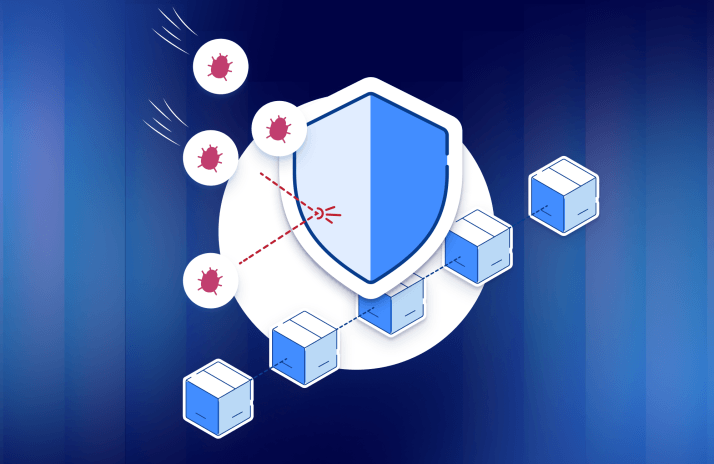
Modern software runs on borrowed code. Every npm install or pip install pulls in libraries written by strangers and grants that code the right to run on your laptop, your build servers, and sometimes your production systems. That convenience is also the attack surface. When a dependency is compromised, the malicious code inherits all the trust you’ve extended to it, and 2025 proved just how far that can spread. This guide explains how malicious dependencies work, what changed in the most damaging recent campaigns, and the concrete steps that actually reduce your risk.
What a malicious dependency is
A malicious dependency is a package that looks legitimate but carries hostile code. The instant you install it, that code can execute: stealing data and credentials, conscripting the machine into a botnet, deploying ransomware, or quietly installing a backdoor. The danger is that it abuses something you already trust: the open source ecosystem your entire stack is built on.
The blast radius follows the code wherever it goes. It begins on developer laptops, a problem amplified by AI coding agents that install packages autonomously, then travels into CI/CD pipelines, an attack surface that few teams think to defend, and can ultimately reach production, where live secrets and systems are exposed.
The main forms it takes
Hijacked legitimate libraries. An attacker earns trust as a maintainer of a popular package, then commits malicious code once they have the access to do so. Trusted today, weaponized tomorrow.
Stolen credentials. Phishing and leaked secrets let attackers publish malicious versions of packages that aren’t theirs.
Purpose-built malicious packages. Some packages are hostile from day one, frequently published under names nearly identical to popular libraries: classic typosquatting.
Slopsquatting. The AI-era variant: attackers register package names that AI assistants are known to hallucinate. If a model repeatedly invents a plausible-but-fake library name, someone can publish malware under that exact name and wait for AI-assisted developers to install it by mistake.
What changed
The defining shift was the arrival of self-replicating malicious packages, effectively worms for the dependency ecosystem. Worms that jump from computer to computer are decades old, but a malicious dependency that infects other dependencies was a new and alarming milestone.
Two waves illustrate the escalation. An early campaign was caught quickly, contained by the community in roughly four hours, affecting around 1% of organizations. Roughly a month later, a far more aggressive successor, the Shai-Hulud worm (named after the giant sandworm from Dune), spread for about four days and reached an estimated 15% of organizations, including major ones. The difference between a contained incident and a widespread one came down to a handful of design choices, examined below.
The next campaign is already live
Six common supply chain threats, taken down step by step, plus three simulated attacks you can run against your own pipeline this week.

Anatomy of a self-replicating attack
Installing an infected package triggers an install hook, code that runs automatically during installation. Recent campaigns leaned on the Bun package manager and pre-install scripts, which bought the malware more execution time and helped it evade tooling built primarily for Node and npm.
Once running, the code harvested secrets from the environment and exfiltrated them cleverly. It created public GitHub repositories to dump stolen credentials, because traffic to GitHub looks routine and rarely gets blocked. It used a stolen GitHub token to publish those secrets, and practiced token recycling: when it couldn't find credentials on a victim's machine, it reused a token harvested elsewhere to publish that victim's secrets anyway.
Theft was only the start. The malware planted a backdoor through a GitHub Actions workflow that executed commands posted in a repository discussion, a way back in for later. On Azure pipelines it used privilege escalation via a privileged Docker container to disable firewalls and reach external systems. To find secrets efficiently, it weaponized TruffleHog, an open source secret-scanner built for defenders, and even validated which stolen keys were still live before moving on to cloud secret managers for more. Then it propagated, infecting additional packages the victim could publish to.
The most important lesson hides in the timing: with a pre-install hook, malicious code runs before the package is installed. A security scan that runs after installation is inspecting a machine that's already compromised.
Defending against the next campaign
Pin your versions. Avoid wildcards; specify exact dependency versions so a fresh malicious release isn't pulled in automatically. Configure update bots like Dependabot and Renovate to wait before adopting a new release, at least three days, ideally about a week, giving the community time to flag problems.
Lock down secrets. Apply least privilege and stop handing out admin by default. Prefer short-lived credentials: OIDC (for example, GitHub's OIDC, which issues tokens valid for roughly an hour) is far safer than long-lived keys that can be harvested and reused.
Use ephemeral, isolated environments. Spin up a fresh, locked-down runner or container for each CI/CD job and destroy it afterward. Persistent backdoors have nothing to persist in.
Scan at every layer. Cover endpoints, IDEs, registries, and production, and your AI coding agents too. Give agents a tool to verify that a package and version are safe before installing, which also curbs their habit of pulling in outdated libraries.
Add governance with a private registry. A proxy registry you control lets you scan and approve exactly what developers and pipelines are allowed to install.
Skip install scripts when scanning. Install with scripts disabled (--ignore-scripts), scan the result, then re-install with scripts enabled.
If you're already compromised
Start with visibility: use device management (MDM) and a software bill of materials (SBOM) to map which machines and projects contain the malicious package. Clean infected machines and remove backdoors, which may mean deleting malicious repositories, discussions, or processes. Rotate every exposed key, and use audit logs to scope the damage: GitHub retains roughly 90 days of activity, and AWS CloudTrail reveals what stolen AWS keys were used for. Finally, be skeptical of community "fix" packages, which can become the next attack vector; verify before you trust.
The bottom line
Malicious dependencies are no longer a fringe risk or a one-off headline; self-replicating campaigns have made them a recurring feature of the software landscape. Treat them as a critical, top-of-mind threat. Pin and age your dependencies, minimize and shorten the life of your secrets, isolate your build environments, scan across the whole stack, and have an incident response plan ready before you need it. The teams that fare best aren't the ones that never get targeted; they're the ones that were prepared.
Want to hear more? Check out this conversation between Amit Chita and Ben Rieger of Mend.io.