Table of contents
Checkmarx One: 7 features, limitations & alternatives

TL;DR: Application security testing tools find vulnerabilities in code, dependencies, and configs across the software development lifecycle. Best for: Mend.io for unified SAST and SCA, Snyk for developer workflows, Veracode for enterprise scale, SonarQube for code quality.
What is Checkmarx One?
Checkmarx One is an application security platform used to identify and manage security risks across the software development lifecycle. It combines several types of application security testing in one environment, including source code analysis, open-source dependency scanning, dynamic testing, API testing, infrastructure-as-code checks, container scanning, and secret detection.
The platform aims to help development and security teams detect vulnerabilities earlier in the software development process. By scanning code, configurations, dependencies, and deployed applications, it can provide a broader view of application risk. This helps teams understand where security issues exist, how severe they are, and what steps may be needed to address them.
This is part of a series of articles about SAST.
Application security testing tools at a glance
The table below summarizes the key differences between the tools covered in this article. We explore each of them in more detail in the sections that follow.
| Category | Solution | Best for | Key strengths | Things to consider |
|---|---|---|---|---|
| Comprehensive application security platforms | Mend.io | Unifying SAST and SCA with reachability-based prioritization | AI-powered fixes, reachability prioritization, dependency automation | Project exclusions are per-repo; no free tier |
| Comprehensive application security platforms | Snyk | Developer-first security across code, dependencies, and AI | IDE and pipeline guardrails, reachability, one-click AI fixes | Noise on large projects; steep pricing tiers |
| Comprehensive application security platforms | Veracode | Enterprises managing application risk across the full SDLC | SAST, DAST, SCA, AI remediation, posture management | Scan times; complex licensing; UI and support |
| Comprehensive application security platforms | GitLab | Teams wanting security built into one DevSecOps platform | SAST, DAST, dependency and container scanning in CI/CD | Scan noise; resource use; advanced features gated |
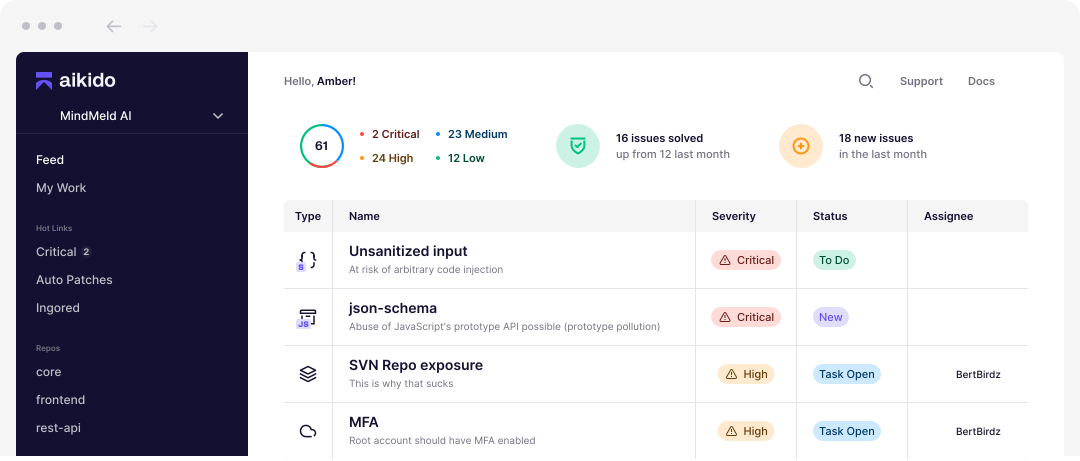
| Comprehensive application security platforms | Aikido Security | Developer teams wanting code-to-cloud coverage in one tool | SAST, SCA, DAST, IaC, CSPM, secrets, autofix | Pricing jump from free tier; some reporting gaps |
| Static analysis and code scanning tools | SonarQube | Teams enforcing code quality and security in CI/CD | SAST, taint analysis, quality gates, IaC, secrets | Setup effort; false positives; LOC-based cost |
| Static analysis and code scanning tools | Semgrep | Teams wanting fast, customizable static analysis | Custom YAML rules, fast scans, supply chain reachability | Out-of-box noise; rule-writing learning curve |
| Static analysis and code scanning tools | OpenText Fortify | Enterprises needing deep SAST with broad language support | 44+ languages, taint analysis, IaC scanning, AI auditing | Scan times; setup complexity; cost |
Related content: Compare the leading options in our roundup of the best SAST tools.
Key Checkmarx One features
1. Static application security testing
Checkmarx One includes Static Application Security Testing through its SAST capabilities. This feature scans application source code to identify vulnerabilities and insecure coding patterns before the application is deployed. It is used to detect issues such as:
- Injection flaws
- Insecure data flows
- Authentication problems
- Authorization weaknesses
- Other code-level security risks
Within Checkmarx One, SAST findings are presented as part of the platform’s broader application risk view. This means code-level vulnerabilities can be reviewed alongside other findings, such as dependency vulnerabilities, secrets, API risks, or infrastructure misconfigurations. The platform also supports developer-focused workflows, allowing SAST results to be surfaced in places such as IDEs, pull requests, repositories, and CI/CD pipelines.
2. Software composition analysis
Checkmarx One includes Software Composition Analysis for identifying risks in open-source packages and third-party dependencies. This feature helps teams understand which external components are used in their applications and whether those components contain:
- Known vulnerabilities
- Outdated versions
- Licensing concerns
- Software supply chain risks
In Checkmarx One, SCA is part of the platform’s software supply chain security coverage. It can analyze direct and transitive dependencies, helping teams see not only the packages they intentionally added, but also the packages introduced indirectly through other libraries. This is important because vulnerable components can enter an application through multiple dependency layers.
Related content: See how these two approaches differ in our SAST vs. SCA comparison.
3. Dynamic application security testing
Checkmarx One includes Dynamic Application Security Testing through Checkmarx DAST. This capability tests running applications to identify vulnerabilities that may only appear when the application is deployed and interacting with users, services, and live application behavior. It is part of the platform’s runtime security coverage.
Checkmarx DAST can be used to assess externally visible application behavior, such as how the application handles:
- Input
- Sessions
- Authentication
- Redirects
- Exposed endpoints
Since it works against a running application, it can help identify issues that are not always visible from source code alone, including configuration problems, runtime validation issues, and weaknesses in deployed application flows.
4. API security testing
Checkmarx One includes API security testing as part of its application security coverage. This feature is used to identify risks in APIs that connect applications, services, users, and data. Since APIs often expose sensitive business functions, Checkmarx One treats API security as an important part of the overall application risk picture.
The platform can help teams detect API-related issues such as:
- Weak authentication
- Broken authorization
- Exposed endpoints
- Excessive data exposure
- Insecure API behavior
These checks are relevant for modern applications that rely on microservices, mobile backends, cloud services, and third-party integrations.
5. Infrastructure as code security
Checkmarx One includes Infrastructure as Code security for scanning cloud and infrastructure configuration files. This capability helps identify risks before infrastructure is deployed, which is especially useful for teams that define cloud resources through code and automated deployment pipelines. The platform can check IaC files for misconfigurations such as:
- Overly permissive access rules
- Exposed storage
- Insecure network settings
- Missing encryption
- Other configuration weaknesses
By scanning these files during development, Checkmarx One helps teams identify cloud and infrastructure risks before they become active in production environments.
6. Container security
Checkmarx One includes container security capabilities for identifying risks in container images and related software components. This feature helps teams assess vulnerabilities in:
- Image layers
- Base images
- Operating system packages
- Application dependencies
- Container build artifacts
Container security in Checkmarx One supports teams that use Docker, Kubernetes, and cloud-native deployment models. It can help identify vulnerable packages, outdated components, and security issues that may be introduced through containerized application environments. This is important because containers often combine application code, third-party dependencies, system packages, and runtime configuration in a single deployable unit.
7. Secret detection
Checkmarx One includes secret detection for identifying exposed sensitive values in code and development artifacts. This capability scans for items that should not be stored in source code or shared repositories, such as:
- API keys
- Passwords
- Access tokens
- Certificates
- Private keys
- Other credentials
Secret detection in Checkmarx One helps teams reduce the risk of credential exposure during development. If a secret is committed to a repository or included in a configuration file, the platform can flag it so teams can remove it, rotate it, or take other remediation steps. This is especially important in environments where developers, automated tools, and CI/CD systems frequently interact with source code and cloud services.
Checkmarx One limitations
While Checkmarx One provides broad application security testing coverage, users have reported several limitations related to scanning accuracy, performance, usability, and language support. These limitations were reported by users on the G2 platform:
- False positives can require additional review. Some users report that scans generate findings that are not actual vulnerabilities, increasing the time needed for validation and triage.
- Scan times may be slow for large projects. Performance can become a challenge when scanning large codebases, resulting in longer analysis times and delayed feedback.
- Limited support for some file types and technologies. Users have noted cases where newer file extensions are not supported, creating challenges when adopting modern development frameworks and languages.
- Language support may vary. Some teams have reported higher numbers of false positives in certain programming languages, suggesting inconsistent detection quality across technologies.
- Reviewing and prioritizing findings can be time-consuming. In larger projects, the volume of results may require significant effort to determine which issues should be addressed first.
- The user interface can be difficult for new users. Some users describe the platform as initially confusing and suggest improvements to navigation, dashboards, and reporting capabilities.
- Deployment and setup may require significant effort. Initial implementation can take time, particularly for teams integrating the platform into existing development and CI/CD workflows.
- Resource requirements can be high. Running scans may require substantial processing power and memory, which can place additional strain on local infrastructure.
- Results may differ across scanning tools. Users have observed inconsistencies between Checkmarx findings and results produced by other security scanning solutions, which can complicate validation efforts.
- Cost may be a concern for some organizations. Licensing expenses can be a limiting factor, particularly for smaller teams or organizations with constrained security budgets.
Notable Checkmarx One alternatives
How we selected these tools: We shortlisted application security testing tools based on their coverage of code, open source dependencies, and runtime risks across the software development lifecycle, their adoption among development and security teams, and their recognition by analysts and major technology publications.
Comprehensive application security platforms
1. Mend.io
Best for: Unifying SAST and SCA with reachability-based prioritization
Strengths: AI-powered fixes, reachability prioritization, dependency automation
Things to consider: Project exclusions are per-repo; no free tier
Mend AppSec is an application security platform that combines static application security testing and software composition analysis in a single product. It scans both human-written and AI-generated code, covering proprietary source code, open source dependencies, and container images under shared policy, prioritization, and remediation. Mend SAST analyzes source code for vulnerabilities and hardcoded secrets in the repository and IDE, while Mend SCA identifies risks in open source packages, including direct and transitive dependencies.
Key features include:
- Static application security testing: Mend SAST scans source code for vulnerabilities and hardcoded secrets using incremental, differential scanning that analyzes only changed code, and supports more than 30 programming languages across web, mobile, server-side, and infrastructure-as-code languages.
- Software composition analysis: Mend SCA inventories open source components, analyzes direct and transitive dependencies, and uses reachability analysis to show whether code interacts with vulnerable functions, with severity from CVSS 4.0 and exploitability data from EPSS.
- AI-powered remediation: The platform delivers code fixes and automated dependency updates inside IDEs and pull requests, and groups and deduplicates findings to reduce manual work.
- AI-generated code security: Mend AppSec integrates with AI coding assistants such as Cursor, Windsurf, and Copilot, running a fast scan at the moment of code generation followed by deeper analysis at commit.
- Governance and compliance: A unified policy engine enforces severity thresholds, SLAs, and license rules across SAST, SCA, and dependencies, blocks non-compliant components before merge, and produces SBOM and AI-BOM output.
- Container and dependency management: Mend includes container image scanning and Mend Renovate for automated dependency updates, with integration across repositories, CI/CD, and package managers.
Limitations (as reported by users on Gartner Peer Insights):
- Project exclusion granularity: Some users would like the ability to exclude entire projects rather than configuring exclusions on a per-repository basis.
- Reporting at large scale: In very large or complex enterprise environments, some users found that certain dashboard and reporting features benefited from additional tuning to maintain performance.
- Operational visibility: One reviewer wanted clearer visibility into scan queues and more helpful log files when troubleshooting at scale.
2. Snyk
Best for: Developer-first security across code, dependencies, and AI
Strengths: IDE and pipeline guardrails, reachability, one-click AI fixes
Things to consider: Noise on large projects; steep pricing tiers
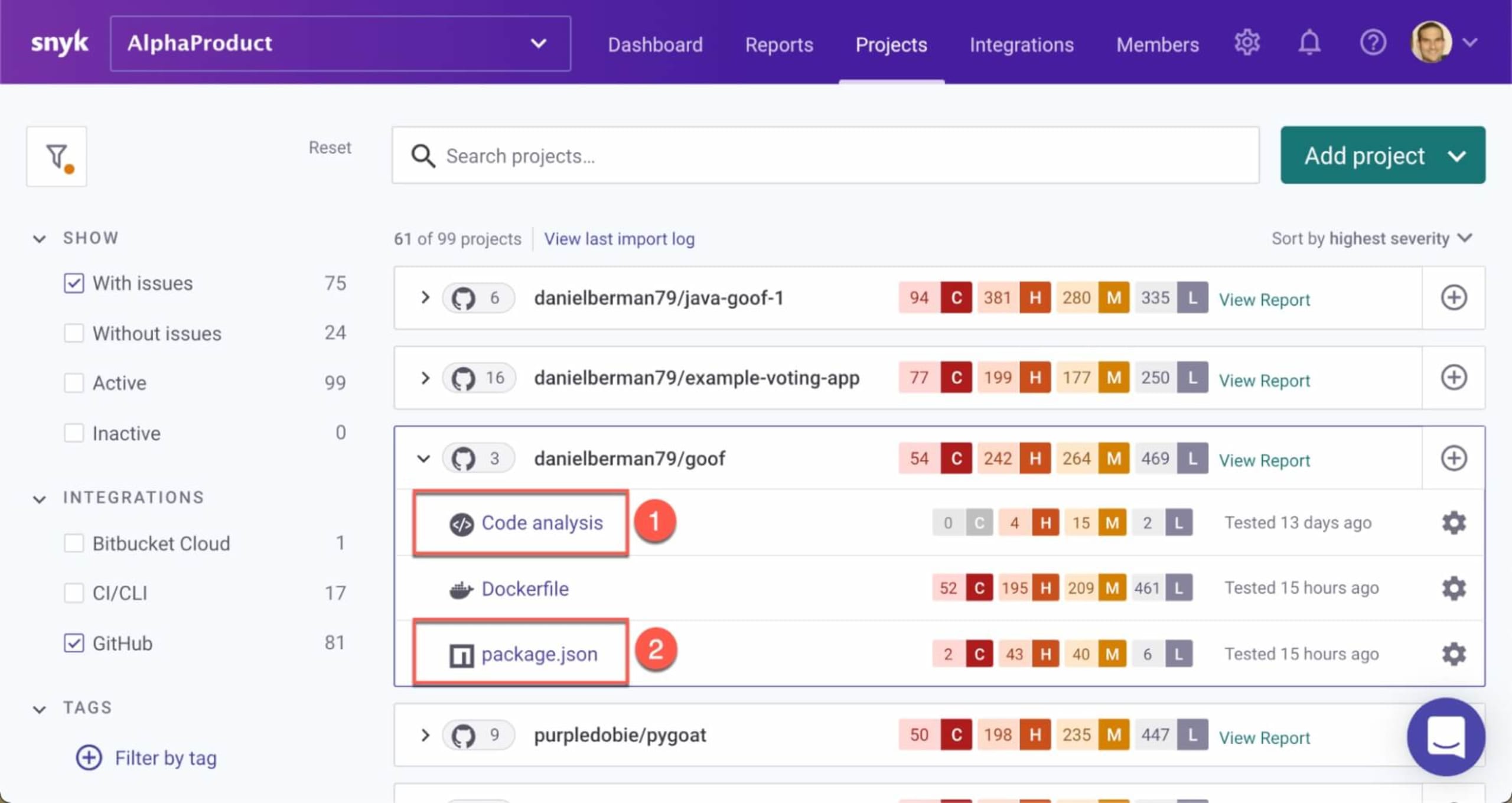
Snyk is a developer security platform that secures custom code, open source dependencies, containers, and cloud infrastructure, with an emphasis on embedding security into developer workflows. Its platform spans visibility, prevention, prioritization, remediation, and governance, and extends into securing AI-driven development and AI-native software. Snyk discovers and inventories assets including code, dependencies, and AI models, and applies guardrails across AI coding assistants, IDEs, and pipelines to catch issues before they enter the codebase.
Key features include:
- Code and open source scanning: Snyk scans custom code, open source dependencies, containers, and cloud infrastructure from a single platform, finding issues in the IDE and verifying fixes.
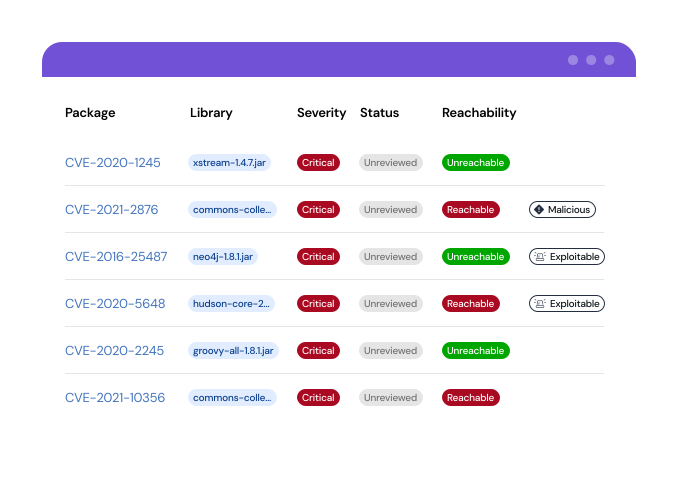
- Reachability and prioritization: The platform uses risk scores and reachability analysis to identify which vulnerabilities are exploitable, helping teams focus on findings that affect the running application.
- AI-assisted remediation: Snyk provides one-click fixes in the IDE and pull request and can open fix pull requests that indicate which version resolves a vulnerability.
- Secure-at-inception guardrails: Snyk embeds checks into AI coding assistants, IDEs, and CI/CD pipelines to prevent vulnerabilities from entering the codebase.
- Container and pipeline coverage: Snyk scans Dockerfiles and container images across their lifecycle and integrates natively with CI/CD tools to find, fix, and monitor issues.
- Governance and orchestration: Automated policy enforcement, analytics, and the Evo agentic orchestrator support program measurement and autonomous runtime protection.
Limitations (as reported by users on G2):
- Alert noise on large projects: Some reviewers report that low-severity findings can be overwhelming on larger projects and that tuning filters to fit their risk tolerance takes time.
- Pricing as teams scale: Users note steep jumps between pricing tiers, with features such as deeper reporting or SSO available only on higher plans.
- Fixes and breaking changes: Some reviewers say recommended upgrades occasionally introduce breaking changes that require manual research, and that compatibility risks are not always flagged.
- SAST maturity: A few reviewers find Snyk Code results less mature than the open source side, citing more false positives and less context.
3. Veracode
Best for: Enterprises managing application risk across the full SDLC
Strengths: SAST, DAST, SCA, AI remediation, posture management
Things to consider: Scan times; complex licensing; UI and support
Veracode is an application risk management platform that identifies, prioritizes, and helps remediate vulnerabilities across the software development lifecycle. It brings together static analysis, dynamic analysis, software composition analysis, and infrastructure and container scanning, along with posture management and AI-assisted remediation. Veracode SAST provides feedback during coding and integrates with developer tools, while DAST identifies runtime vulnerabilities in web applications and APIs through simulated attacks.
Key features include:
- Static and dynamic testing: Veracode SAST delivers code feedback that integrates with more than 40 tools, and DAST identifies runtime vulnerabilities in web apps and APIs through simulated attacks.
- Software composition analysis: SCA automates open source scanning, identifies new vulnerabilities, and manages license risk with rapid feedback and fixes.
- Code-to-cloud scanning: The platform integrates SAST, DAST, SCA, IaC, and container scans into developer IDEs for actionable insights across environments.
- AI-powered remediation: Veracode Fix generates patches from a curated set of reference fixes designed by Veracode experts to automate flaw resolution.
- Application security posture management: Risk Manager prioritizes vulnerabilities, pinpoints the owner and root cause of each issue, and recommends the next best action.
- Software supply chain controls: A package firewall blocks vulnerabilities, malware, and policy violations before they reach pipelines, supported by a threat research feed.
Limitations (as reported by users on G2):
- Scan times: Some reviewers report scan cycles that can slow CI/CD pipelines, particularly under enterprise workloads.
- Licensing complexity and cost: Users describe an overly complex license model, with each application requiring a dedicated license and costs rising over time.
- Interface and documentation: Some reviewers find the interface disjointed and the documentation confusing, with occasional mismatches between documented and delivered features.
- Support responsiveness: A few reviewers report slow customer support response times.

4. GitLab
Best for: Teams wanting security built into one DevSecOps platform
Strengths: SAST, DAST, dependency and container scanning in CI/CD
Things to consider: Scan noise; resource use; advanced features gated
GitLab is a DevSecOps platform that integrates security scanning into the development lifecycle alongside source control and CI/CD. Its Secure capabilities include static application security testing, dynamic application security testing, dependency scanning, container scanning, secret detection, and license compliance, with results shown inline in merge requests. SAST scans application source code and binaries using open source analyzers installed as part of GitLab, and DAST runs live attacks against a running web application or API.
Key features include:
- Static application security testing: GitLab SAST scans source code and binaries for vulnerabilities before deployment and presents findings inline in merge requests as a single report.
- Dynamic application security testing: DAST runs live attacks against a review app, deployed application, or active API to find runtime vulnerabilities, with on-demand scans available outside pipelines.
- Dependency and container scanning: Dependency scanning checks external libraries for known vulnerabilities on each commit, and container scanning analyzes Docker image contents against public vulnerability databases.
- Secret detection: GitLab checks commits for credentials and secrets so they can be addressed before reaching production.
- API security and fuzz testing: API security tests for known vulnerabilities with DAST API and unknown issues with API fuzzing against a live API or review app.
- License compliance: On each commit, project dependencies are checked against approved and disallowed licenses defined by custom policies, with results shown inline.
Limitations (as reported by users on G2):
GitLab’s security capabilities are part of the broader DevSecOps platform, so the reviews below reflect the platform as a whole.
- Scan noise: Some users report a high volume of findings from scans, which can make it harder to prioritize genuine issues.
- Resource consumption: Extensive security scans can be resource-intensive and affect pipeline performance, requiring infrastructure planning.
- Feature complexity: Reviewers note a steep learning curve and a cluttered interface in large projects, and that configuring advanced security policies requires deep technical knowledge.
- Tier gating: Advanced security and compliance features sit in higher tiers, which can be a barrier for smaller organizations.

5. Aikido Security
Best for: Developer teams wanting code-to-cloud coverage in one tool
Strengths: SAST, SCA, DAST, IaC, CSPM, secrets, autofix
Things to consider: Pricing jump from free tier; some reporting gaps
Aikido Security is a unified application security platform that consolidates multiple scanners across code, cloud, and runtime into a single interface. It covers static application security testing, open source dependency scanning, secrets detection, malware detection, infrastructure-as-code scanning, container and Kubernetes scanning, cloud security posture management, virtual machine scanning, and dynamic testing of web applications and APIs.
Key features include:
- Static and open source scanning: Aikido scans source code for security issues before merge and checks open source dependencies for vulnerable packages.
- Cloud and container coverage: Cloud security posture management detects misconfigurations across major cloud providers, and container and Kubernetes scanning checks images for packages with security issues.
- Infrastructure-as-code and secrets: Aikido scans Terraform, CloudFormation, and Kubernetes definitions for misconfigurations and checks code for exposed API keys, passwords, and certificates.
- Dynamic testing and runtime protection: Surface monitoring tests web applications and APIs through simulated attacks, and Zen runtime protection can block critical injection attacks and rate-limit APIs.
- Noise reduction and autotriage: The platform evaluates alerts in context to deprioritize issues that do not pose real risk and groups similar findings together.
- AutoFix: Aikido generates reviewable pull requests to address issues across code, dependencies, infrastructure, and containers, with visibility before merge.
Limitations (as reported by users on G2):
- Pricing for smaller teams: Some reviewers find the jump from the free tier to paid plans steep, which can be difficult for micro businesses and startups to justify.
- Reporting and feature gaps: Users mention missing features such as advanced reporting and a dark mode, and request more configuration flexibility for complex environments.
- Resource usage: One reviewer noted that the Aikido agent uses a substantial amount of RAM, which needs to be accounted for on production servers.
- Enterprise depth: Some reviewers describe it as lighter on deep runtime controls and heavy customization for highly regulated enterprise environments.
Static analysis and code scanning tools
6. SonarQube
Best for: Teams enforcing code quality and security in CI/CD
Strengths: SAST, taint analysis, quality gates, IaC, secrets
Things to consider: Setup effort; false positives; LOC-based cost
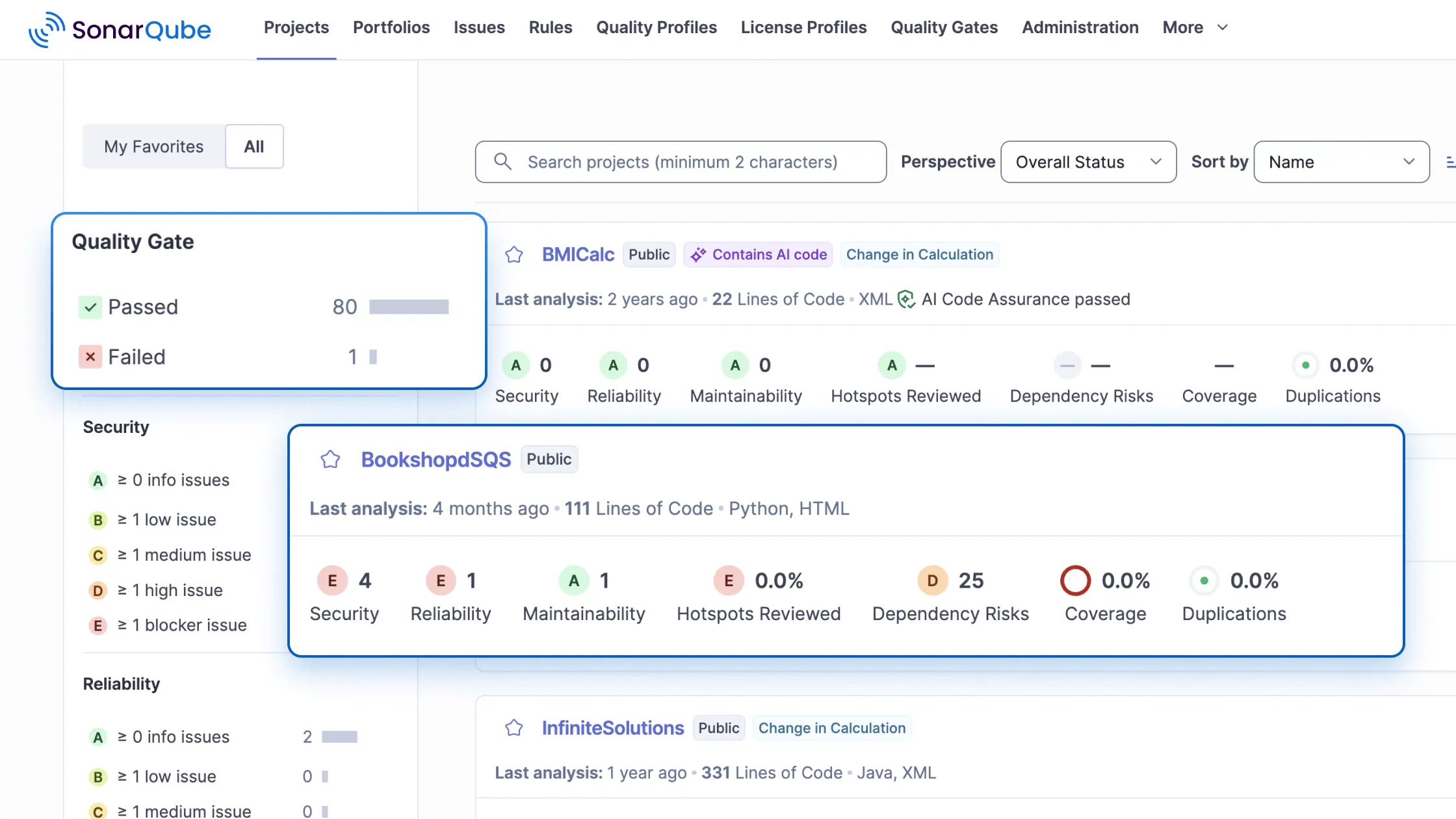
SonarQube is an automated code review platform that checks code for quality, reliability, and security issues, available as the SonarQube Cloud SaaS or self-managed SonarQube Server. It scans branches, pull requests, and merges as code is committed, applying curated rules and quality gates that enforce standards before code is merged. Its security capabilities include static application security testing with taint analysis, secrets detection, infrastructure-as-code scanning, and an advanced SAST tier.
Key features include:
- Static code analysis: SonarQube builds models of code such as control flow and data flow graphs to detect bugs, vulnerabilities, and code smells across many languages.
- SAST and taint analysis: The SAST engine identifies vulnerabilities with taint analysis, secrets detection, IaC scanning, and an advanced SAST tier, with immediate feedback in the IDE and pipeline.
- Quality gates: Quality gates enforce shared standards and block code that does not meet defined thresholds from progressing.
- AI CodeFix: SonarQube uses large language models to generate context-aware fix suggestions for bugs and security issues within the developer workflow.
- CI/CD and IDE integration: Automated scanning runs on commits, branches, and pull requests, with feedback delivered in existing code review and DevOps tools.
- Flexible deployment: SonarQube Cloud offers a managed service while SonarQube Server supports self-hosted and air-gapped deployment for data residency and control.
Limitations (as reported by users on G2):
- Setup and configuration: Some reviewers find initial setup complex, especially for large projects, and note that multiple languages or special build setups can complicate configuration.
- False positives and rigid rules: Users report that some rules do not fit legacy or real-world codebases and require frequent tuning or suppressions.
- Performance on large codebases: Reviewers note that scans can be slow on big projects and that the interface can feel slow when reviewing many issues.
- Pricing at renewal: Some users describe line-of-code-based pricing increasing as codebases grow.
7. Semgrep
Best for: Teams wanting fast, customizable static analysis
Strengths: Custom YAML rules, fast scans, supply chain reachability
Things to consider: Out-of-box noise; rule-writing learning curve
Semgrep is a static analysis platform centered on Semgrep Code, a static application security testing tool that finds and helps fix issues in source code. It pairs deterministic pattern-based analysis with AI-powered analysis through Semgrep Multimodal to detect both classic vulnerabilities such as cross-site scripting and SQL injection and more complex logic flaws. Rules are written in a YAML syntax that resembles source code, allowing teams to create custom detections without learning a proprietary language, supported by a public rule registry.
Key features include:
- Static application security testing: Semgrep Code scans source code for security issues across more than 30 languages and integrates into CI/CD pipelines and local development.
- Custom rules: Teams write rules in a YAML syntax that mirrors source code, supported by a registry of community rules for standards such as the OWASP Top 10.
- Multimodal detection: Semgrep combines deterministic analysis for classic vulnerabilities with AI-powered analysis for complex flaws, and uses context to reduce findings that need triage.
- Software composition analysis: Semgrep Supply Chain identifies vulnerabilities in open source dependencies and uses reachability analysis to focus on exploitable issues.
- Secrets detection: Semgrep Secrets uses semantic and entropy analysis with validation to find hardcoded credentials that pattern-based scanners may miss.
- AI code scanning: Semgrep Guardian scans AI-generated code as it is written, and the platform supports automated triage and remediation recommendations.
Limitations (as reported by users on G2):
- Out-of-the-box noise: Some reviewers report that default results can be noisy with false positives, requiring upfront tuning and rule customization.
- Rule-writing learning curve: Crafting effective custom rules demands expertise, which can be challenging for more complex vulnerabilities.
- Limited standalone context: Reviewers note that on its own Semgrep provides limited context for determining whether a vulnerability is exploitable at runtime, which can complicate prioritization.
- Coverage scope: Some users describe its focus as primarily security and code analysis, with other areas requiring additional Semgrep products or tools.

8. OpenText Fortify
Best for: Enterprises needing deep SAST with broad language support
Strengths: 44+ languages, taint analysis, IaC scanning, AI auditing
Things to consider: Scan times; setup complexity; cost
OpenText Fortify provides static application security testing that scans source code, bytecode, or binaries to detect vulnerabilities during development. It supports more than 44 languages and over 350 frameworks, with more than 1,500 vulnerability categories and detection of over 200 types of secrets. Fortify integrates with IDEs such as Visual Studio, IntelliJ, and Eclipse, build tools such as Maven and Gradle, and CI/CD platforms such as Jenkins, GitHub Actions, GitLab CI, and Azure DevOps, and can create tickets in systems such as Jira.
Key features include:
- Static code analysis: Fortify scans source code, bytecode, or binaries, covering more than 44 languages, 350 frameworks, and over one million APIs.
- Early IDE and pull request scanning: Code is scanned as it is written, with issues surfaced in the developer IDE or pull requests before merge.
- Infrastructure-as-code scanning: Integrated IaC and application scanning supports Docker, Kubernetes, and serverless, powered by a single core engine.
- AI-powered auditing and remediation: Fortify Remediation Aviator accelerates auditing and provides automated code fix suggestions for SAST findings.
- Compliance and governance: Policy-based scan enforcement and reporting support frameworks such as the OWASP Top 10, NIST, PCI DSS, and ISO 27001, with centralized dashboards.
- Flexible deployment: Options include the SaaS-based Fortify on Demand, a private hosted option that combines SaaS and on-premises features, and off-cloud for full control.
Limitations (as reported by users on G2):
- Scan times: Some reviewers report that scans can be slow when analyzing large numbers of files or heavy codebases.
- Setup complexity: Users describe a steep learning curve and complex initial setup and configuration.
- False positives: Some reviewers note that Fortify can produce false positives that need to be managed through issue suppression.
- Cost: A few reviewers describe the product as expensive.

Conclusion
Application security testing tools help organizations identify vulnerabilities across source code, open-source dependencies, APIs, infrastructure configurations, containers, and deployed applications throughout the software development lifecycle. Modern platforms increasingly combine multiple testing approaches in a single environment, allowing teams to prioritize risks, automate remediation, and integrate security into developer workflows and CI/CD pipelines.