Table of contents
Mini Shai-Hulud Hits keyv: Trojanized Release Exfiltrates CI Secrets via GitHub

On August 4, 2026, a malicious version of keyv was published to npm as keyv@6.0.0, one of a number of npm packages affected across the Keyv and Cacheable ecosystem. The release follows the Mini Shai-Hulud pattern: a trojanized version of a heavily depended-on package, with an install-time hook that reaches cloud and CI credentials. It leaves the compiled library untouched and instead adds a preinstall hook and two files. The second of those files carries names and endpoints for AWS, HashiCorp Vault, Kubernetes, Google Cloud, Azure, npm, and GitHub Actions credentials, batched collection, and repository creation through GitHub’s own API.
Technical analysis
npm install
  └─ preinstall hook in package.json
       └─ setup.mjs
            └─ Math_Symbol.js, run under a downloaded Bun runtime
Figure 1: The entry path, from a dependency install to the bundled file.
What changed
keyv@6.0.0 differs from keyv@6.0.0-rc.1 in three files: package.json, plus additions named setup.mjs and Math_Symbol.js. Nothing under dist/ changed. The compiled library a consumer imports is identical to the previous release.
  "files": [
    "dist",
    "LICENSE",
    "setup.mjs",
    "Math_Symbol.js"
  ],
  "scripts": {
    "build": "tsdown",
    "preinstall": "node setup.mjs",
Figure 2: The two entries added to files and the added preinstall hook.
Both edits are load-bearing. The preinstall entry runs before installation completes, so no application code and no import of the library is required. Adding the two filenames to files is what puts them in the tarball, since npm publishes only what files declares.
The consequence for review is that a diff limited to library source shows a clean release, and the move from 6.0.0-rc.1 to 6.0.0 looks like an ordinary promotion to general availability. The version has since been removed from the registry, and the latest tag resolves to 5.6.0.
How it executes
setup.mjs is obfuscated in two layers. Its string literals sit in an array reached through a base64 and RC4 decoder, and its main routine is flattened into a switch statement driven by an encoded order string.
It imports execFileSync from child_process, plus fs, https, os, path, fileURLToPath from url, and zlib. It resolves its own directory from import.meta.url and joins it with the filename Math_Symbol.js to form a path.
Five operations sit in the switch. A download. An unpacking step, which receives the downloaded archive, an entry name and a destination directory. A chmodSync whose mode argument evaluates to 0o755, guarded by the same platform flag that selects between the bun-linux- and bun-window names. An execFileSync against the downloaded binary, passing that path as its only argument with the package directory as the working directory. And an rmSync on the temporary directory inside a finally block.
The temporary directory is named with the prefix bun-dl-, and the download URL is assembled by concatenation. The bun-linux- and bun-window names identify the download as the Bun runtime. The hook already runs under Node, so a second JavaScript engine is not needed to run JavaScript. What the fetched runtime provides is a current and predictable execution environment on any host regardless of the victim’s Node version.
Obfuscation
Math_Symbol.js opens with a // @bun @bun-cjs marker, identifying a Bun-compiled CommonJS bundle, and the whole file is a single line of roughly 727,000 characters. Its strings are held in a 4,613-entry array encoded with basE91 against shuffled 91-character alphabets, of which it contains 71 distinct ones. The array is rotated 14 positions at load, so index references are only correct after rotation. Each decoder holds its alphabet as a local variable and reads its numeric constants from the constant pool rather than inline. No hostname, path or environment variable name appears in readable form anywhere in the file.
What it targets
Math_Symbol.js reaches well past credential files on disk. For AWS it holds the instance metadata and container credential paths, the static and web-identity environment variables, and names for STS caller identity, Secrets Manager retrieval and SSM Parameter Store enumeration. For HashiCorp Vault it holds the token environment variables, the token file path, and names for four separate authentication routes and for KV listing at both v1 and v2. Kubernetes appears as kubeconfig with names for service account token and namespace reads, Google Cloud and Azure as single key names, npm as the registry’s token, identity, organization and OIDC exchange endpoints, and GitHub Actions as the two OIDC request variables.
Collection is batched. Collector start., BATCH_SIZE and flushThresholdBytes sit alongside five [collector] progress and failure strings. One further string, Exiting as russian language detected!, is a host-language check.
Check your exposure
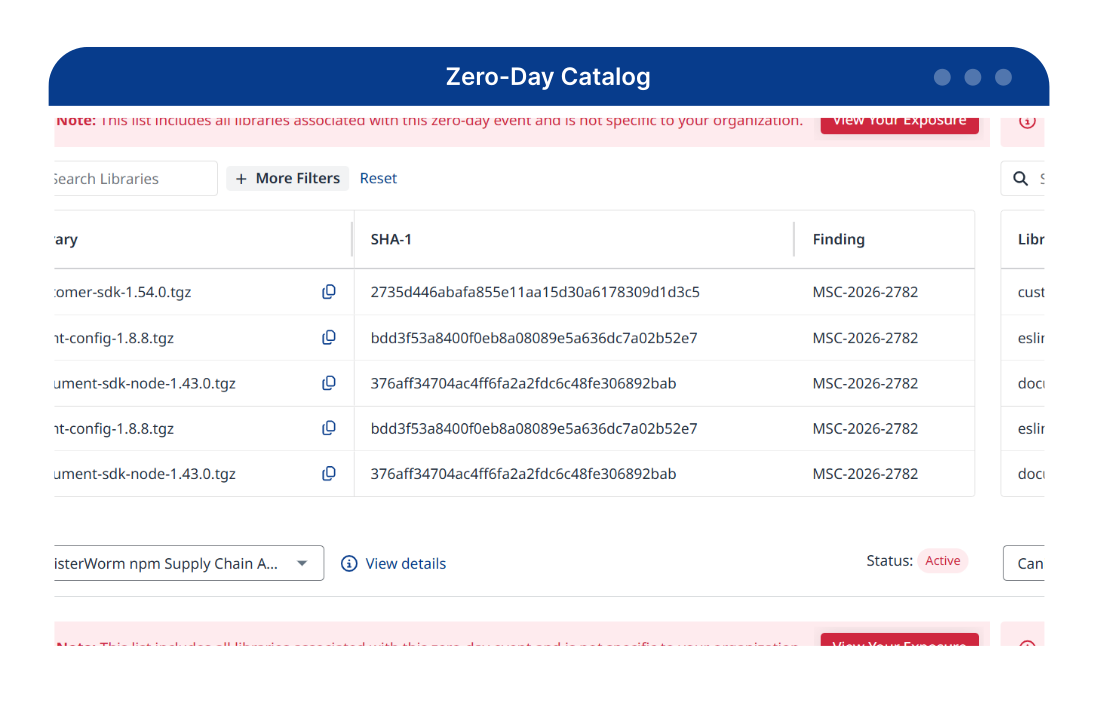
Mend.io customers can view exposure for all affected packages directly in the platform. Not a customer?
Exfiltration
No attacker-controlled domain appears anywhere in the file. The only hosts are github.com, api.github.com, registry.npmjs.org, amazonaws.com, kubernetes.io, and the Sigstore and SLSA endpoints.
The GitHub surface is write-oriented rather than read-oriented: the authenticated-user repository creation path /user/repos?, a GraphQL FetchBranches query paging refs/heads/ ordered by commit date, and the names createdRepo, commitToRepo, commitFileWithRetry, createCommitOnBranch, getEligibleBranches and filterBranches. The failure strings Failed to create repository! and Failed to create repo: sit with them, as does the note (Protected branches will be detected at commit time and reported per-branch.)
/user/repos? is the authenticated-user repository creation endpoint, so any repository created through it belongs to whichever account the token authenticates as. The consequence for defenders is direct. There is no domain to add to a blocklist and nothing unusual to spot in egress logs, because this traffic goes to the same host the developer's tooling already talks to, authenticated with a token that host already trusts.
Math_Symbol.js also holds GITHUB_REPOSITORY env var is not set. This must be run inside a GitHub Actions workflow, or you must set GITHUB_REPOSITORY=<owner>/<repo> manually. alongside GITHUB_RUN_ID, GITHUB_RUN_ATTEMPT, GITHUB_WORKFLOW_REF, GITHUB_SHA, RUNNER_ENVIRONMENT and RUNNER_OS, which puts CI runners in scope rather than developer laptops alone.
Republishing with signed provenance
Math_Symbol.js holds publishPackage alongside the components of npm's provenance attestation flow: Sigstore certificate issuance at fulcio.sigstore.dev, the transparency log at rekor.sigstore.dev, and the slsa.dev/provenance/v1 attestation format, together with the in-toto statement type and the SLSA GitHub Actions workflow build-type identifier. The string Unexpected Rekor response: expected 1 entry, got is error handling for the transparency-log step of that flow. A package republished with a stolen registry token and an Actions OIDC token can carry the same provenance badge a legitimate release would.
Persistence in developer tooling
Math_Symbol.js holds the paths .claude/settings.json, .claude/setup.mjs, .vscode/tasks.json and .vscode/setup.mjs, along with a name installTokenMonitor. Each pair is the stager's own filename next to a configuration file that the corresponding tool reads, one pair for an editor and one for an AI assistant.
Indicators of compromise
Network IOCs
| Indicator | Value | Description |
|---|---|---|
| Metadata URL | hxxp://169[.]254[.]169[.]254/latest/api/token | Instance metadata token path, present in Math_Symbol.js |
| Metadata URL | hxxp://169[.]254[.]169[.]254/latest/meta-data/iam/security-credentials/ | Role credential path, present in Math_Symbol.js |
| Container credential address | hxxp://169[.]254[.]170[.]2 | Present in Math_Symbol.js |
Filesystem IOCs
| Indicator | Value | Description |
|---|---|---|
| Planted file | setup.mjs | Obfuscated stager, listed in files so it ships in the tarball |
| Planted file | Math_Symbol.js | Bun CommonJS bundle, one line, roughly 727,000 characters |
| Bundle marker | // @bun @bun-cjs | First line of the bundled file |
| Temp directory prefix | bun-dl- | Present in setup.mjs as the download directory prefix |
| Path string | .claude/setup.mjs, .claude/settings.json | Present in Math_Symbol.js |
| Path string | .vscode/setup.mjs, .vscode/tasks.json | Present in Math_Symbol.js |
| Path string | /.vault-token | Present in Math_Symbol.js |
Credential and behavioral IOCs
| Category | Literals present in Math_Symbol.js |
|---|---|
| AWS | getCallerIdentity, getSecretValue, listParameters, getParametersBatch |
| HashiCorp Vault | getTokenFromEnv, getTokenFromFile, getTokenFromAwsIam, getTokenFromK8sAuth, listKvV1, listKvV2, listSecrets, getNamespaceSecrets |
| Kubernetes | getKubeconfigToken, readServiceAccountToken, readNamespace |
| GCP / Azure | gcpKey, azureKey |
| GitHub Actions OIDC | ACTIONS_ID_TOKEN_REQUEST_TOKEN, ACTIONS_ID_TOKEN_REQUEST_URL |
| Behavioral | Collector start., flushThresholdBytes, BATCH_SIZE, Exiting as russian language detected!, Failed to create repository!, Failed to create repo: , Unexpected Rekor response: expected 1 entry |
| Collector log strings | [collector] dispatched batch of , [collector] dispatch failed for batch of , [collector] dropping failed result from , [collector] source failed:,[collector] npm token check failed: |
Remediation
- Remove persistence artifacts before rotating anything. Check every repository checked out on an affected machine for a
setup.mjssitting beside an editor or assistant config file, and inspect.vscode/tasks.jsonand.claude/settings.jsonfor entries that reference it.
find . -type f \( -path '*/.vscode/setup.mjs' -o -path '*/.claude/setup.mjs' \) -print- Identify exposure from lockfiles. Lockfiles record the exact artifact that was resolved, which is what distinguishes exposure from ordinary use of the package. npm and yarn write the tarball name, pnpm writes the name and version. Packages in this ecosystem frequently arrive transitively through common tooling, so reviewing direct dependencies is not sufficient.
grep -rn "keyv-6.0.0.tgz\|keyv@6.0.0" package-lock.json pnpm-lock.yaml yarn.lock 2>/dev/null- Check every GitHub account that installed an affected version for repositories it did not create. Repository creation runs against the authenticated-user endpoint, so an unexpected repository under an account whose token was present on the machine is the most direct signal. Review the account's security log, or the organization audit log, for repository creation and for commits from unfamiliar sessions.
- Rotate credentials across the full reachable surface, not only npm and AWS. That means npm registry tokens, GitHub personal access tokens and session tokens, cloud keys for AWS, GCP and Azure, HashiCorp Vault tokens, and Kubernetes service account tokens. On any affected CI runner, the job's OIDC-derived identity holds whatever permissions its roles grant, so treat it as exposed and re-scope it. While rotating the registry tokens, check the packages those accounts publish for releases you did not cut, since provenance on a release does not distinguish it from a legitimate one.
- Re-key secrets held in AWS Secrets Manager, SSM Parameter Store and Vault KV, not only the credentials used to reach them. The literals cover secret retrieval as well as authentication, so rotating the accessing identity alone can leave exposed secrets valid.
- Move off the affected release and pin the replacement.
keyv@6.0.0has been removed from the registry, so a lockfile pinned to it will now fail to resolve rather than fail safe, anddist-tags.latestpoints back at5.6.0. Treat "upgrade to latest" as insufficient guidance here and pin an exact known-good version instead.
- Install with
--ignore-scriptsin CI and allowlist the few packages that genuinely need lifecycle scripts. The whole mechanism depends on a script running at install time, which makes this a durable defense rather than a fix for one incident.
Mend.io coverage
Mend.io has issued 1 MSC advisory covering the affected packages:
- MSC-2026-6430
Conclusion
What sets this release apart from a typical trojanized package is that it needs no attacker infrastructure. The repository creation path targets GitHub's own API and whichever account a stolen token authenticates as, and the bundle carries the full set of npm provenance components, so a republished package can present the same signed badge a legitimate one would. Neither a blocklist nor a provenance check catches either of those. The install-time hook is where the chain is easiest to break, which is why disabling lifecycle scripts by default is the control that matters most here.
Manage open source risk
About the author