Table of contents
Related resources


Snyk SAST: Key features, limitations, and top 10 alternatives

What is Snyk SAST (Snyk Code)?
Snyk SAST (officially named Snyk Code) is a developer-first static application security testing tool. It scans source code in real time and flags vulnerabilities like SQL injections, cross-site scripting (XSS), and hardcoded credentials.
Snyk Code supports many programming languages and integrates directly into IDEs, repositories, and CI/CD pipelines. It’s part of the broader Snyk platform, which also includes tools for open source dependency scanning, container security, infrastructure as code (IaC) security, and software supply chain risk management.
Key SAST features in Snyk Code
Snyk Code helps developers find, prioritize, and fix security issues without slowing delivery. Its features center on fast analysis, accurate results, and tight integration with the tools developers already use.
- Real-time code scanning: Analyzes source code directly in IDEs and pull requests and gives immediate security feedback without a build or a long scan.
- Automatic vulnerability remediation: Generates pre-validated fixes for detected vulnerabilities, so developers can apply them quickly with less manual work.
- Developer-friendly security guidance: Provides clear explanations of vulnerabilities, their potential impact, and recommended fixes, so developers can understand and act on findings.
- Risk-based issue prioritization: Uses application context to reduce noise and focus attention on the vulnerabilities that matter most, including issues found in deployed or publicly exposed code.
- Broad language and tool support: Integrates with popular programming languages, IDEs, repositories, and CI/CD platforms, so teams can test throughout the software development lifecycle.
- Machine learning driven analysis: Combines machine learning with a large knowledge base of modeled data flows and vulnerability patterns to improve detection accuracy and reduce false positives.
- Security coverage for modern development: Extends analysis capabilities to a wide range of software components and libraries, including many commonly used AI and machine learning frameworks.
- IDE, pull request, and CI/CD integration: Embeds security testing into everyday development activities. Teams can scan code during development, review changes in pull requests, and enforce security checks during builds.
- Large vulnerability knowledge base: Draws on a database of tens of thousands of real-world vulnerabilities and remediation examples to improve detection quality and fix recommendations.
- Human-validated AI assistance: Combines AI-generated recommendations with security expertise and validated remediation data to provide practical, security-focused code fixes.
How Snyk Code works
Snyk Code scans source code before the application runs. You can run it from the Snyk web UI, IDE plugins, the CLI, APIs, pull request checks, and CI/CD pipelines. Teams get the same code analysis during local development, code review, and automated builds.
The analysis engine uses semantic, AI powered analysis to understand how code behaves. It checks API usage, control flow, data flow, type changes, value ranges, and memory references. That lets it detect issues such as insecure function use, null dereferences, race conditions, type mismatches, buffer overruns, division-by-zero errors, and off-by-one errors.
For data flow issues, Snyk Code traces how input moves through the application from a source to a sink. It also learns about insecure external data sources, sensitive sinks, and sanitization functions. That’s the basis for taint analysis, which checks whether untrusted data can reach risky operations without proper validation or encoding.
When Snyk Code finds an issue, it provides a path showing how the problem occurs. Developers can inspect the source-to-sink flow step by step, review vulnerability details, and compare the issue with examples of similar fixes. Teams can also filter, group, sort, and prioritize issues, export them to Jira, or ignore a warning that isn’t relevant.
Snyk Code has several deployment options:
- As a SaaS service.
- With Snyk Broker for self-hosted source control systems.
- Through Snyk Code Local Engine for teams that don’t want to upload code. Analysis runs inside your environment, and only scan results go to Snyk.
Key Snyk SAST limitations
Snyk Code is a respected SAST tool, but it has limitations you should weigh:
- False positives and alert noise: Snyk Code can generate false positives and large numbers of low-severity findings. In larger projects, this can create alert fatigue and force manual validation before teams know which issues matter.
- Prioritization requires tuning: Snyk includes risk-based prioritization, but teams often need time to adjust filters and workflows to match their risk tolerance and reduce unnecessary findings.
- SAST results may lack context: Some users report that Snyk Code findings provide less context and explanation than other parts of the Snyk platform. That makes some issues harder to assess and prioritize.
- Fix recommendations are not always practical: Recommended fixes may involve upgrading to versions that introduce breaking changes. In these cases, developers still need to research and test before applying the fix.
- Pricing can become expensive at scale: Costs climb as teams grow. Some capabilities teams consider important, such as advanced reporting or single sign-on (SSO), may require higher-tier plans.
- Scan performance can affect pipelines: For medium-sized repositories, scans can take several minutes to complete. This may increase CI/CD pipeline execution times and slow developer feedback cycles.
- Occasional inconsistencies in results: Some users have observed discrepancies between results shown in the web interface and those produced by the CLI, which can create confusion when validating findings.
- Licensing and dependency findings can create additional noise: License-related detections and other dependency findings can be flagged even when they aren’t relevant to your use case.
- Integration and documentation gaps: Users occasionally report that certain integrations, reporting workflows, and documentation could be improved to make adoption and troubleshooting easier.
- Support experience may vary: Some teams report slow support response times or difficulty resolving complex product issues, particularly when problems require escalation.
Snyk SAST alternatives at a glance
The table below compares 10 Snyk Code alternatives by category, primary use case, strengths, and trade-offs. Use it as a quick reference before the detailed breakdowns.
| Category | Solution | Best for | Key strengths | Things to consider |
|---|---|---|---|---|
| Developer-first SAST platforms | Mend SAST | Securing human- and AI-generated code in the repo and IDE | Scanning built for AI-generated code, with on-premises analysis and fast incremental scans | SAST module is expanding its capabilities |
| Developer-first SAST platforms | Aikido Security | Developer teams that want low-noise SAST with auto-fixes | Tuned rules and AI triage cut false positives; one-click fixes | Step up from free to paid tiers can be steep for small teams |
| Developer-first SAST platforms | Cycode | Teams wanting SAST inside an ASPM platform with code-to-cloud context | Fast scanning with correlated findings and risk-based prioritization | Container scanning lacks a CLI; can slow with many assets |
| Enterprise application security suites | Checkmarx SAST | Enterprises needing deep SAST across many languages and frameworks | Hybrid deterministic and AI engine with broad language coverage | Scans can be slow and noisy; setup has a learning curve |
| Enterprise application security suites | Veracode Static Analysis | Enterprises with large, mixed codebases and compliance needs | Source, binary, and hybrid scanning across 100+ languages | Scans can be slow; flaw mitigation can be involved |
| Enterprise application security suites | OpenText Fortify | Enterprises securing legacy and modern apps at scale | 44+ languages, 1,524+ vulnerability categories, flexible deployment | Scans can be slow; deployment and tuning add overhead |
| Enterprise application security suites | Black Duck Coverity | Large, complex codebases with safety and compliance needs | Path-sensitive analysis across 22 languages and 200+ frameworks | On-premises setup is resource-heavy; scans can be slow |
| Open-core and pipeline-integrated SAST | Semgrep Code | Teams wanting fast, customizable SAST with an open-core option | Deterministic plus AI scanning with custom YAML rules | Out-of-the-box results can be noisy; rules need tuning |
| Open-core and pipeline-integrated SAST | SonarQube | Teams combining code quality and security in one gate | SAST, taint, secrets, and IaC across 40+ languages with gates | Setup can be complex; scans slow on large codebases |
| Open-core and pipeline-integrated SAST | GitHub Code Security | Teams building security into GitHub-based workflows | CodeQL scanning with Copilot Autofix and dependency review | GitHub-centric; CodeQL can slow on large monorepos |
Notable Snyk SAST alternatives
How we selected these tools: We shortlisted Snyk alternatives based on their static code analysis depth, language and framework coverage, remediation and prioritization capabilities, and how well they integrate into developer workflows and CI/CD pipelines. The tools are grouped into three categories so you can compare options that fit a similar approach and team size.
Developer-first SAST platforms
1. Mend SAST
Best for: Securing human- and AI-generated code in the repo and IDE.
Strengths: Scanning built for AI-generated code, with on-premises analysis and fast incremental scans.
Things to consider: The SAST module is expanding its capabilities.
Mend SAST is a static analysis tool built for AI-generated code. It runs inside your repository and IDE. It scans both human-written and AI-generated code, with a lightweight scan at the moment of code generation and deeper analysis at commit. Incremental and differential scanning returns results inside the repo. Mend SAST groups related findings and validates context across the call graph before it raises a vulnerability.
Key features include:
- Scanning at the point of AI code generation: Runs a lightweight scan in the IDE as AI tools generate code and deeper static analysis at commit. It covers both human- and machine-written code.
- Incremental and differential scanning: Analyzes only changed code so results return inside the repository without a full rescan.
- Finding grouping and context validation: Groups related findings and validates context across the full call graph before raising a vulnerability.
- On-premises scanning with cloud management: Performs analysis inside your environment, so source code never leaves your perimeter. Dashboards, compliance reporting, quality gates, and SLAs run in the cloud.
- Secrets scanning: Detects hardcoded credentials, API keys, tokens, and certificates and can trigger policy violations or fail the build before secrets reach production.
- Broad language and tool integration: Supports 30+ languages and integrates with JetBrains, VS Code, and Visual Studio, agentic IDEs such as Cursor and Windsurf, GitHub, GitLab, Bitbucket, and Azure DevOps, and CI/CD systems including Jenkins, CircleCI, and GitHub Actions.
Limitations (as reported by users on G2):
- SAST is a newer module: The static analysis capability is more recent than Mend.io’s open source scanning.
- Documentation can be uneven: Some users would like clearer guidance for newer features during setup and configuration.
- Large project scans can take time: When scanning a large number of projects, some users report results can take longer to appear.

Source: Mend.io
2. Aikido Security
Best for: Developer teams that want low-noise SAST with auto-fixes.
Strengths: Tuned rules and AI triage cut false positives; one-click fixes.
Things to consider: The step from free to paid tiers can be steep for small teams.
Aikido Security provides static application security testing built for developers, combining tuned detection rules with AI powered reachability triage to filter out findings that are not exploitable. It runs in the IDE with inline flagging and full repository scans from the editor, and it reviews pull requests inline. The platform applies context-based severity scoring that accounts for factors such as internet-facing code and sensitive data, and it supports custom rules.
Key features include:
- Tuned rules with AI reachability triage: Combines curated detection rules with AI analysis of reachability to reduce findings that are not exploitable.
- One-click auto-fixes: Generates fixes through deterministic logic and agentic AI, delivered as inline suggestions or AI-generated pull requests.
- IDE and pull request scanning: Flags issues inline in the editor, runs full repository scans from the IDE, and reviews pull requests.
- Context-based severity scoring: Scores findings using context such as internet-facing exposure and sensitive data handling.
- CI/CD gating and custom rules: Blocks merges by severity, type, or context and supports user-defined detection rules.
- Broad language and SCM coverage: Supports 45+ languages along with IaC and secrets, and integrates with GitHub, GitLab, Bitbucket, and Azure DevOps.
Limitations (as reported by users on G2):
- Pricing jump to paid tiers: Some small teams find the step from the free tier to paid plans steep.
- Advanced configuration depth: A few users want deeper configuration options for larger or more complex environments.
- Secrets and license false positives: Limited visibility into some scanning rules can make repeated false positives harder to tune.
- Best suited to shift-left use: Teams needing runtime testing or full browser-based scanning may need additional tooling.

Source: Aikido Security
3. Cycode
Best for: Teams wanting SAST inside an ASPM platform with code-to-cloud context.
Strengths: Fast scanning with correlated findings and risk-based prioritization.
Things to consider: Container scanning lacks a CLI, and it can slow with many assets.
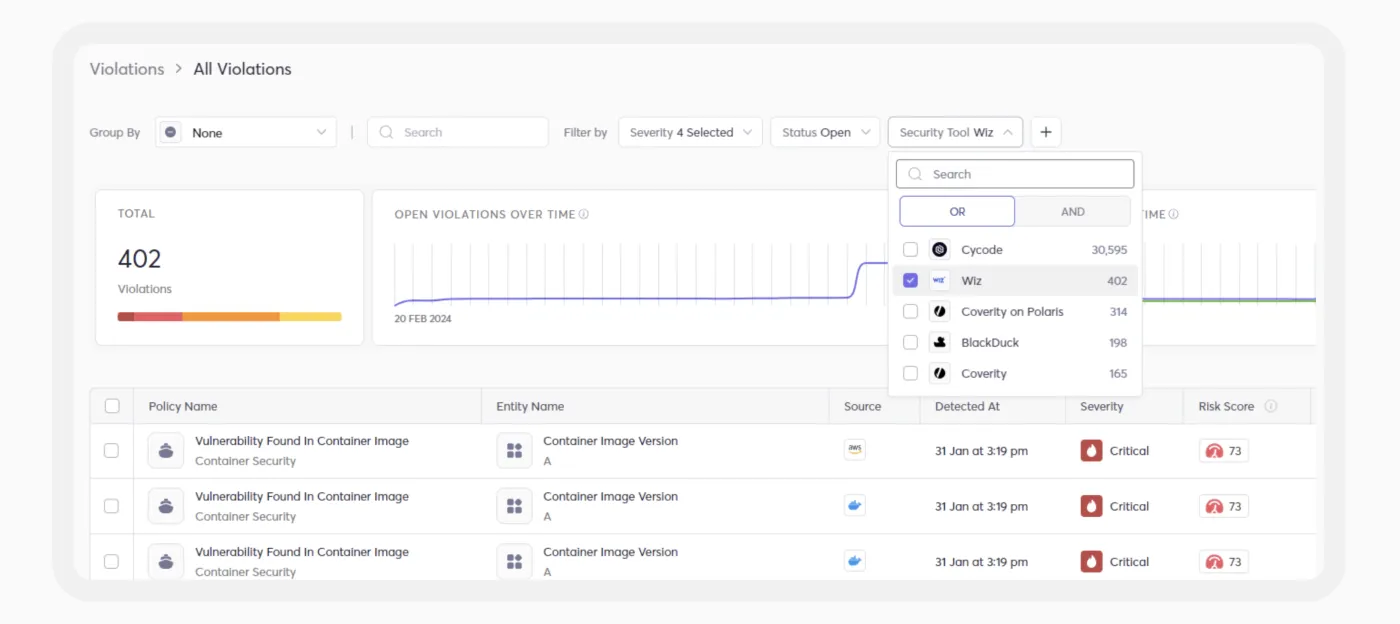
Cycode provides static application security testing within its application security posture management platform. It scans continuously on each code change and detects OWASP Top 10 issues, with customizable detection logic and built-in per-language rules. It correlates findings across SAST, SCA, and secrets, and enriches them with code-to-cloud context through the platform’s Risk Intelligence Graph.
Key features include:
- Continuous scanning: Runs a scan on every code change and detects OWASP Top 10 issues.
- Risk Intelligence Graph context: Correlates findings across SAST, SCA, and secrets and adds code-to-cloud context.
- Risk-based prioritization: Ranks issues using reachability, exploitability, and exposure.
- Customizable detection: Supports custom rules alongside built-in per-language rule sets.
- AI-suggested fixes: Provides remediation suggestions alongside findings.
- IDE, CI/CD, and SCM coverage: Runs inline in the IDE and pipeline, scans pull requests, and integrates with GitHub, GitLab, Bitbucket, Azure DevOps, and Gerrit.
Limitations (as reported by users on G2):
- No CLI for container scanning: Users note the container scanning module lacks a command-line interface, which limits pipeline integration.
- Performance with many assets: Some users report the platform can slow down once a large number of assets are onboarded.
- Cloud service integrations: A user notes limited integration with some cloud services for tracking application vulnerabilities.
- Imported data alignment: Some users find ASPM figures do not always match their source tools because Cycode applies its own logic on import.
Source: Cycode
Enterprise application security suites
4. Checkmarx SAST
Best for: Enterprises needing deep SAST across many languages and frameworks.
Strengths: Hybrid deterministic and AI engine with broad language coverage.
Things to consider: Scans can be slow and noisy, and setup has a learning curve.
Checkmarx provides static application security testing through its CxSAST engine, available on-premises and as part of the cloud-based Checkmarx One platform. It combines a deterministic engine with AI analysis and offers broad language and framework coverage, including AI-generated and emerging languages. The tool scans uncompiled code directly from repositories without requiring a build, and it supports both full and incremental or pull request scans.
Key features include:
- Hybrid detection engine: Combines a deterministic engine with AI analysis across a broad set of languages and frameworks.
- Uncompiled code scanning: Scans source directly from GitHub, GitLab, Azure, and Bitbucket without a build.
- Adaptive scanning: Supports full scans alongside incremental and pull request scans.
- Findings Analysis: Classifies results as true or false positives using labels rather than removing them.
- AI powered remediation: Provides fix guidance in the IDE, CLI, and AI coding environments.
- Part of Checkmarx One: Integrates with the platform’s DAST, SCA, supply chain, API, IaC, and container modules.
Limitations (as reported by users on G2):
- False positives: Users report a high number of false positives, with some noting weaker support for languages such as Kotlin.
- Scan times: Scans for large projects can take a long time and slow developer feedback.
- Learning curve and setup: Several users describe a steep learning curve and time-consuming initial setup.
- Resource use: Running the application can require substantial RAM and processing power.
- Cost: Some users find the platform expensive, particularly for smaller teams.

Source: Checkmarx
5. Veracode Static Analysis
Best for: Enterprises with large, mixed codebases and compliance needs.
Strengths: Source, binary, and hybrid scanning across 100+ languages.
Things to consider: Scans can be slow, and flaw mitigation can be involved.
Veracode Static Analysis is a static application security testing solution with more than 20 years of development behind it. Its Adaptable SAST Scanning Service offers source, binary, and hybrid scanning, including direct source code scanning without compilation as well as analysis of third-party or proprietary code when source is unavailable. It supports over 100 languages and frameworks and uses whole-program analysis with a patented Crosscheck path analysis to map how untrusted data reaches critical functions.
Key features include:
- Adaptable scanning service: Offers source, binary, and hybrid scanning, including build-free analysis of raw source code.
- Crosscheck path analysis: Uses a patented process to map execution paths where untrusted data reaches vulnerable code.
- Broad language coverage: Supports 100+ languages and frameworks, including legacy, mobile, and cloud-native stacks.
- Security-Sensitive Context filtering: Applies proprietary rules to suppress findings in security-irrelevant contexts.
- CWE alignment: Maps findings to the Common Weakness Enumeration standard.
- IDE and pipeline integration: Runs in the IDE for early feedback and applies policy during CI/CD builds.
Limitations (as reported by users on G2):
- Inconsistent scan results: Users report the same flaw appearing, disappearing, and reappearing across scans.
- Slow scan performance: Source code analysis can be slow for fast-moving teams.
- Upload and network dependence: Scan progress can depend heavily on internet speed.
- Flaw mitigation process: Addressing false positives or mitigating flaws can require Veracode administrators, which adds delays.

Source: Veracode
6. OpenText Fortify
Best for: Enterprises securing legacy and modern apps at scale.
Strengths: 44+ languages, 1,524+ vulnerability categories, flexible deployment.
Things to consider: Scans can be slow, and deployment and tuning add overhead.
OpenText Fortify provides static application security testing across 44+ languages, 350+ frameworks, and more than one million APIs, covering 1,524+ vulnerability categories. It scans source code in the IDE and pull requests before code is merged, and it integrates with build tools and CI/CD platforms. The tool offers flexible deployment, including the SaaS-based Fortify on Demand, private hosted, and off-cloud options.
Key features include:
- Broad language and framework coverage: Supports 44+ languages, 350+ frameworks, and 1,524+ vulnerability categories.
- Flexible deployment: Offers SaaS via Fortify on Demand, private hosted, and off-cloud options.
- AI powered auditing and remediation: Includes an AI analyzer, Audit Assistant, and Remediation Aviator fix suggestions.
- Compliance support: Provides out-of-the-box mapping to OWASP Top 10, PCI DSS, NIST, and ISO 27001 with policy-based scanning.
- Integrated IaC and secrets scanning: Covers Docker, Kubernetes, and serverless and detects 200+ secret types in one engine.
- Developer tool integration: Works with IDEs such as Visual Studio, IntelliJ, and Eclipse and CI/CD tools including Jenkins, GitHub Actions, GitLab CI, and Azure DevOps.
Limitations (as reported by users on G2):
- False positives: Users note false positives that they manage through issue suppression or tuning.
- Slow scans: Scans can be slow for large or heavy codebases.
- Deployment complexity: The scanning architecture can require dedicated infrastructure and ongoing maintenance.
- Cost: Some users describe the pricing as high.

Source: OpenText
7. Black Duck Coverity
Best for: Large, complex codebases with safety and compliance needs.
Strengths: Path-sensitive analysis across 22 languages and 200+ frameworks.
Things to consider: On-premises setup is resource-heavy, and scans can be slow.
Black Duck Coverity is a static analysis tool built for finding quality and security defects in large-scale, complex software. It supports 22 programming languages, more than 200 frameworks, and several infrastructure-as-code platforms, and it uses path-sensitive dataflow and taint analysis to surface defects across files and libraries. The Code Sight IDE plug-in gives developers real-time results, issue summaries, and code fixes as they write, and scans can be triggered on commits and pull requests.
Key features include:
- Path-sensitive analysis: Uses dataflow and taint analysis to find defects across files and libraries.
- Code Sight IDE plug-in: Surfaces security and quality issues with real-time results and fixes as developers write code.
- Broad language and framework support: Covers 22 languages, 200+ frameworks, and common IaC platforms.
- Compliance reporting: Maps findings to standards including MISRA, CERT, ISO 26262, OWASP Top 10, and CWE Top 25.
- Workflow automation: Triggers scans on commits and pull requests through IDE, SCM, and CI integrations.
- Scales to large applications: Built to analyze large-scale codebases, with a cloud option through Black Duck Polaris.
Limitations (as reported by users on G2):
- On-premises resource demands: Running the tool on-premises can require substantial infrastructure.
- Complex setup and integration: Integrating across IDEs, CI pipelines, and container environments can be time-consuming.
- Slow scans in some cases: Scans can be slow for large codebases or heavily integrated environments.
- Documentation and cost: Some users cite limited onboarding guidance and relatively high pricing.

Source: Black Duck
Open-core and pipeline-integrated SAST
8. Semgrep Code
Best for: Teams wanting fast, customizable SAST with an open-core option.
Strengths: Deterministic plus AI scanning with custom YAML rules.
Things to consider: Out-of-the-box results can be noisy, and rules need tuning.
Semgrep Code is a static application security testing tool that combines a deterministic engine with AI powered analysis in a multimodal approach. The deterministic engine catches issues such as cross-site scripting and SQL injection, while AI analysis targets more complex flaws such as IDOR and business-logic vulnerabilities. It applies organizational context to both rule-based and AI scans, and it uses Semgrep Assistant to triage findings and learn from past triage decisions.
Key features include:
- Multimodal detection: Combines a deterministic SAST engine with AI analysis for both classic and logic flaws.
- Custom YAML rules: Lets teams write rules in readable YAML and draw on a large public rule registry.
- Semgrep Assistant triage: Triages findings and learns from triage decisions to refine future results.
- Organizational context: Applies team-specific context to both rule-based and AI scans.
- Lightweight CI/CD and local scanning: Runs inside pipelines and locally with fast diff-aware scans.
- Open-core model: Offers a free Community Edition alongside the commercial Semgrep platform.
Limitations (as reported by users on G2):
- Out-of-the-box noise: Users report noisy results and false positives that require upfront tuning and rule customization.
- Rule-writing learning curve: Writing effective custom rules can require security expertise.
- Narrow native scope: Without add-ons, Semgrep Code focuses on SAST and lacks built-in secrets, IaC, or container scanning.
- Limited standalone context: On its own, it can be hard to confirm whether a finding is reachable at runtime.
- Scale and monorepo constraints: Some users report cross-file scans that struggle or stall on large monorepos.

Source: Semgrep
9. SonarQube
Best for: Teams combining code quality and security in one gate.
Strengths: SAST, taint, secrets, and IaC across 40+ languages with quality gates.
Things to consider: Setup can be complex, and scans can slow on large codebases.
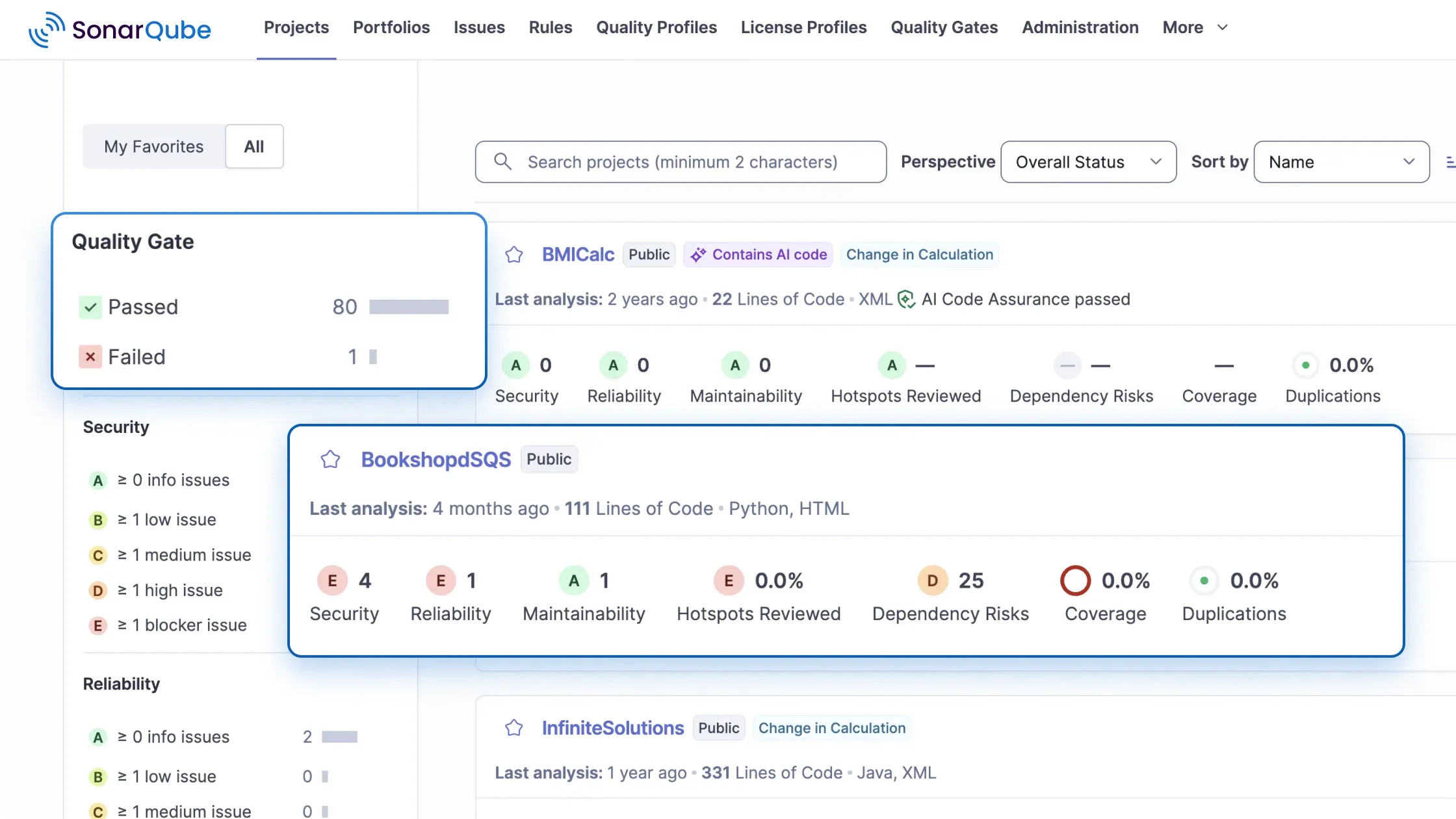
SonarQube is a code quality and security analysis platform that includes static application security testing alongside taint analysis, secrets detection, and infrastructure-as-code scanning. It covers more than 40 languages and frameworks with a rule library of over 7,000 rules, and it provides immediate feedback in the IDE through its companion as well as automated analysis in CI/CD pipelines. Quality Gates enforce go/no-go thresholds on branches and pull requests.
Key features include:
- Multiple analysis types: Includes SAST, taint analysis, secrets detection, and IaC scanning.
- Broad rule library: Covers 40+ languages with more than 7,000 rules.
- Quality Gates: Enforce customizable go/no-go thresholds on branches and pull requests.
- AI CodeFix: Uses LLMs to suggest one-click fixes for human- and AI-generated code.
- Two deployment options: Offers SonarQube Cloud and self-hosted SonarQube Server.
- Advanced Security add-on: Adds deeper cross-boundary taint analysis and SCA on top of the core engine.
Limitations (as reported by users on G2):
- Complex initial setup: Users find the initial setup and configuration complex, especially for large or self-hosted projects.
- Slow scans on large codebases: Scans and the UI can slow down on big projects with many rules active.
- Rule strictness and false positives: Default rules can feel strict and generate findings that need review and tuning.
- Advanced features are paid: Some capabilities sit only in the commercial editions.
Source: SonarQube
10. GitHub Code Security
Best for: Teams building security into GitHub-based workflows.
Strengths: CodeQL scanning with Copilot Autofix and dependency review.
Things to consider: It’s GitHub-centric, and CodeQL can slow on large monorepos.
GitHub Code Security builds application security into the GitHub workflow, using the CodeQL analysis engine to trace data flows and find vulnerabilities as code is built. Copilot Autofix provides contextual explanations and AI-generated fixes for CodeQL alerts directly in the workflow. The product also includes dependency review and premium Dependabot features to flag vulnerable or outdated dependencies before they are merged, with EPSS scoring to help prioritize risk.
Key features include:
- CodeQL code scanning: Uses a query-based engine to trace data flows and detect vulnerabilities as code is built.
- Copilot Autofix: Generates contextual, AI powered fixes for CodeQL alerts within the workflow.
- Dependency review and Dependabot: Flags vulnerable or outdated dependencies before merge, with EPSS-based prioritization.
- Security campaigns: Group related vulnerabilities, assign ownership, and track remediation across repositories.
- Security overview: Provides a view of risk distribution across an organization.
- GitHub-native delivery: Runs inside GitHub, free on public repositories and available for private repositories and Azure DevOps through Advanced Security.
Limitations (as reported by users on PeerSpot):
- GitHub-centric: The product is built around GitHub, which can leave gaps for teams using other Git platforms.
- Scanning speed on large repos: CodeQL scans can slow down on large monorepos.
- Custom queries require QL: Writing custom queries requires learning the CodeQL query language.
- Dashboard and reporting: Some users want a more consolidated dashboard and better reporting, such as PDF exports.
- Pricing at scale: Per-committer pricing for private repositories can add up for large organizations.

Source: GitHub
Conclusion
Language counts fill most SAST comparison tables. The user-reported limitations above tell you more, and two complaints keep repeating: noisy findings and slow scans. So test each shortlisted tool on one of your own repositories, and track how many findings your developers fix.