Table of contents
Related resources


SAST DevSecOps guide: 7 tools and how to use them

A SAST scan that stalls every pull request teaches developers one thing: route around it. The tools that survive in DevSecOps are the ones that return fast, flag real security vulnerabilities, and hand back a fix before the developer has switched tasks.
This guide covers where static application security testing (SAST) fits in a DevSecOps pipeline, seven SAST tools worth shortlisting, how SAST pairs with a DAST tool such as OWASP ZAP, and how to run SAST scans in CI/CD pipelines without slowing releases.
Where SAST fits in DevSecOps
SAST analyzes source code without running it. It traces how data moves through your code and flags patterns that lead to injection, hard-coded secrets, and broken access checks. Because it needs no running application, it works on the first commit.
That timing matters for DevSecOps. One 2026 analysis of 1.6 million applications found that 82 percent of organizations carry security debt. Every flaw caught in a pull request is one that never joins that backlog.
The NIST Secure Software Development Framework (SP 800-218) points the same way. Practice PW.7 calls for code analysis against your secure coding standards, with issues recorded and triaged in your normal workflow. It lists static analysis as an automated way to do that, and notes that automation lowers the effort needed to find vulnerabilities.
In practice, SAST runs at four points: in the IDE while a developer types, on each pull request, in the CI build, and on a scheduled full scan. A good SAST tool supports all four from one configuration, and treats the pull request as the moment that matters most.
AI coding assistants raise the stakes. AI development is introducing new high-risk vulnerability patterns at scale, and assistants produce more code per developer than any review process was sized for. SAST is the one control that reads every line the same way, whether a person or a model wrote it. The best tools now feed findings back to the assistant, so the flaw is fixed during generation instead of after the merge.
What to look for in a SAST tool for DevSecOps teams
Most buying guides list features. Fewer say which ones decide whether developers keep the tool turned on.
Scan speed comes first. Tools that analyze only changed code keep pull request checks short, while full-repository scans belong on a nightly schedule. Precision comes second, because every false positive costs a developer a few minutes and some trust. Ask vendors for a benchmark, not an adjective.
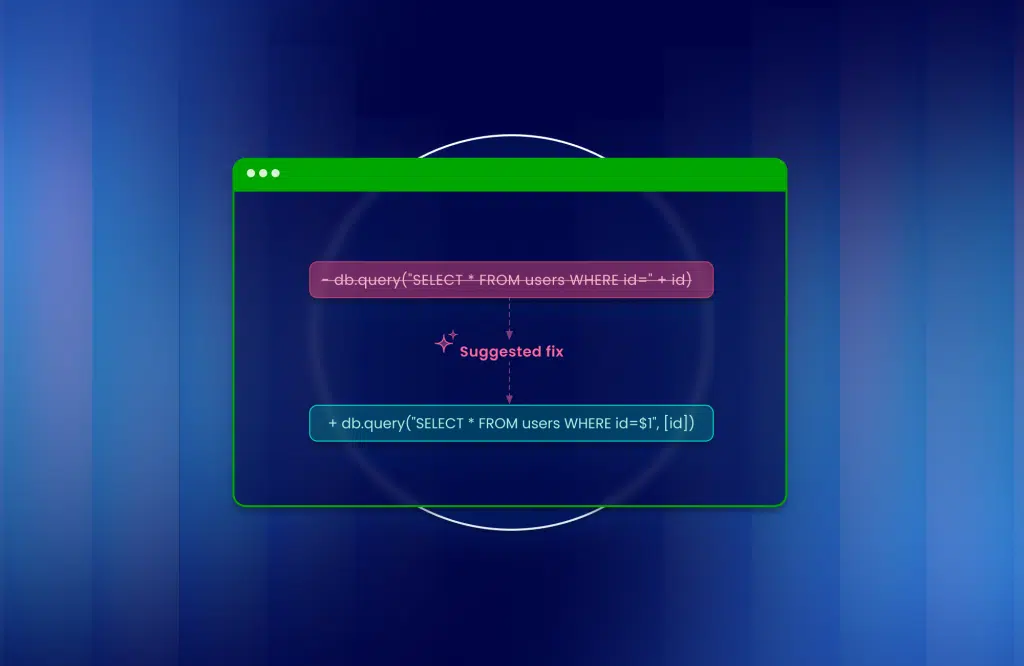
Fix guidance comes third. A finding that says “SQL injection on line 82” creates work. A finding with a proposed code change creates a merge. Last, check deployment. If your policy keeps source code inside your own network, you need scanning that runs there, with results reported to a central console.
Integration with your existing DevOps tooling sits underneath all of this. Confirm support for your source control host and CI system before you compare anything else.
Seven SAST tools for DevSecOps teams
1. Mend SAST

Mend SAST is built for scanning at the speed of a pull request. It analyzes only changed code on incremental scans. Scanning runs in your own environment, while you manage findings, policies, and quality gates in the cloud. Agentic triage judges whether each finding is a true or false positive, with its reasoning attached.
Mend.io reports 38 percent better precision and 48 percent better recall than benchmark competitors, so teams review fewer false alarms and miss fewer real flaws. AI powered fixes appear in the IDE and inside AI coding assistants including Cursor, Windsurf, and Copilot, which means developers fix flaws while the code is still open. Integrations cover GitHub, GitLab, Bitbucket, Azure DevOps, Jenkins, CircleCI, and GitHub Actions.

2. Checkmarx One

Checkmarx One pairs a deterministic scanning engine with AI reasoning. It offers assistants for the IDE, triage, and remediation, and it connects to Jenkins, TeamCity, Bamboo, and Maven in CI, plus GitHub, GitLab, Azure DevOps, and Bitbucket for source control. It suits large enterprises that want one vendor across several testing types.

Source: Checkmarx
3. Snyk Code

Snyk Code is a developer-first SAST product with a semantic engine that follows data from source to sink. It scans in JetBrains and Visual Studio editors, checks pull requests before merge, and runs through a CLI in CI/CD pipelines. Teams with strict upload policies can use its local engine so code never leaves their network.

Source: Snyk
4. Veracode Static Analysis

Veracode lists support for more than 100 languages and frameworks, including legacy and mobile stacks. It scans source without compilation, runs in the IDE, and fits into builds to block policy-violating flaws. Its full program analysis handles applications up to 5GB of code, which matters if you maintain large monoliths.

Source: Veracode
5. Black Duck

Black Duck offers two routes. Polaris is a SaaS option that scans for vulnerabilities, secrets, and misconfigured infrastructure-as-code templates. Coverity runs on premises and targets standards such as MISRA and CERT C/C++, which makes it common in embedded and safety-critical work. Pipeline scans can break the build on policy violations.

Source: BlackDuck
6. SonarQube

SonarQube covers more than 40 languages and frameworks and combines SAST, taint analysis, secrets detection, and infrastructure-as-code scanning with its code quality checks. Its IDE plugin gives real-time feedback. It works best for teams that want security and maintainability findings in a single review flow.

Source: SonarQube
7. Semgrep

Semgrep Code combines pattern matching with data flow analysis, and you can write custom rules in a readable syntax. Run semgrep ci in your pipeline for continuous scanning. Cross-file analysis lowers false positives but takes longer, so most teams save it for scheduled scans. An optional add-on provides AI triage and autofix pull requests.

Source: Semgrep
No single tool wins every category. Shortlist two, scan the same representative repository with each, and compare the findings your developers would act on. That test tells you more than any feature matrix.
SAST and DAST: why you need both
SAST cannot see how your application behaves when it runs. Misconfigured headers, exposed endpoints, and broken session handling only show up in a running system. That is the job of a DAST tool.
OWASP ZAP is the most common free choice. It is open source, and its Automation Framework lets you drive scans from a single YAML file. Running it with -autorun zap.yaml returns exit code 0 for a clean run, 1 for an error, and 2 for warnings, so a pipeline can fail a build on the result.
The OWASP DevSecOps Verification Standard describes the mature pattern: each build triggers an automated DAST scan, and findings flow into a central issue tracker. Pair that with SAST on the pull request and you cover both the code and the running application. Mend.io’s DAST add-on simulates real-world attacks on running applications and APIs if you want one vendor for both.
How to run SAST in CI/CD pipelines
Integrating SAST into CI/CD pipelines works when you treat it as a sequence, not a single gate.
- Scan in the IDE. Developers fix the cheapest flaws before they commit.
- Scan changed code on every pull request. Use incremental scanning and keep results under a few minutes.
- Gate on new, high-severity findings only. Blocking on old backlog items makes every build fail, and developers learn to ignore the gate.
- Run a full scan nightly. Catch cross-file issues the pull request scan skips.
- Send findings to the tracker your team already uses. NIST asks for issues to be recorded and triaged in your workflow, not in a separate portal.
Set your security controls once, in policy, and let the pipeline enforce them. Then measure two numbers: how long a finding stays open, and what share of findings developers mark as noise. If the second number climbs, tune rules before you add more tools.
FAQs
What is SAST in DevSecOps?
SAST is automated analysis of source code for security issues, run as part of the development workflow. In DevSecOps, it runs in the IDE, on pull requests, and in CI builds so developers see findings while the code is still fresh.
Where should SAST run in a CI/CD pipeline?
Run it on every pull request against changed code, and run a full scan on a schedule. Gate merges on new high-severity findings, not the existing backlog.
What is the difference between SAST and DAST?
SAST reads source code and finds flaws before the application runs. DAST attacks a running application and finds problems in its runtime behavior, such as misconfigurations. Most teams run both.
Is OWASP ZAP a SAST tool?
No. OWASP ZAP is a free, open source DAST scanner that tests running web applications. It complements SAST rather than replacing it.
How do you reduce false positives from SAST scans?
Pick a tool with strong precision, tune rules to your frameworks, and use triage that explains whether a finding is likely real. Track the share of findings developers dismiss. A rising share means your rules need work.
Run SAST where developers write code
See how Mend SAST scans changed code in the IDE and in pull requests, then returns a fix. Join the teams reducing remediation effort by 75 percent.
Secure proprietary code 10x faster
About the author