Table of contents
Related resources


Best Application Security Testing Tools: Top 10 Tools in 2026
This guide covers the main categories of application security testing (AST) tools, 10 tools worth evaluating in 2026, what to prioritize when you buy, and what “shift left” actually requires from a tool.
Application security testing (AST) tools identify vulnerabilities and weaknesses in software applications. These tools assess code, application behavior, or the application’s environment to detect potential security risks. They help developers and security teams prevent cyberattacks by addressing security issues during the development and deployment phases.
AST tools come in several forms based on purpose, method, and scope. AI coding assistants have changed the requirements: a larger share of new code is machine-generated, so tools must analyze more code, surface findings the moment a risky pattern is suggested, and extend coverage to AI components, dependencies, and the wider software supply chain. Modern programs favor tools that combine vulnerability detection with reachability analysis, malicious-package detection, and AI-aware scanning.
Main categories of application security testing tools
Static application security testing (SAST)
Static application security testing (SAST) focuses on analyzing an application’s source code, bytecode, or binaries to identify potential vulnerabilities without executing the software. This white-box testing approach allows developers to detect insecure coding practices and common vulnerabilities like SQL injection or cross-site scripting during the early development stages.
SAST tools integrate into integrated development environments (IDEs) and version control systems, ensuring continuous scanning as code changes. However, they are limited to analyzing known code paths and cannot detect runtime issues or vulnerabilities in dependencies and third-party components. Despite these limitations, SAST remains crucial for building a secure code foundation, and is especially valuable for catching the insecure patterns increasingly introduced by AI coding assistants before they reach the pull request stage.
Dynamic application security testing (DAST)
Dynamic application security testing (DAST) is a black-box testing method that examines an application’s behavior during runtime. Unlike SAST, DAST does not require access to source code. It simulates attacker behavior by sending malicious inputs to the application and monitoring its responses to identify issues like authentication bypass, input validation failures, and other runtime weaknesses.
DAST evaluates an application’s security from an outsider’s perspective, making it useful for detecting vulnerabilities in live environments. However, it may generate false positives and cannot pinpoint the exact lines of vulnerable code. DAST is most effective when combined with other testing methods, offering comprehensive security coverage for web and API applications.
Interactive application security testing (IAST)
Interactive application security testing (IAST) combines elements of SAST and DAST, offering both code-level and runtime analysis. IAST works by embedding sensors within an application during runtime, enabling it to detect vulnerabilities as the application executes typical functions. This hybrid approach delivers contextual insights about potential risks, providing deeper visibility into how vulnerabilities manifest and their root causes.
IAST tools are valuable for DevOps teams as they integrate within CI/CD pipelines. These tools require test executions to trigger vulnerabilities, which means their effectiveness depends on the quality of test coverage. When used effectively, IAST enables real-time vulnerability detection and prioritization.
This hybrid testing approach resembles greybox testing, which also combines elements of internal and external visibility. Both aim to bridge the gap between code-level analysis and real-world execution, giving security teams more context when identifying and fixing vulnerabilities.
Software composition analysis (SCA)
Software composition analysis (SCA) focuses on identifying vulnerabilities within open source components and third-party libraries used in applications. Since most modern software relies heavily on open source code, the risks of using outdated or compromised components are significant. SCA tools analyze bills of materials (BOMs) to track licensing issues and detect security vulnerabilities that might compromise the entire application.
SCA tools let organizations keep dependencies secure by providing insights into known vulnerabilities published in databases like the Common Vulnerabilities and Exposures (CVE) list. Effective SCA implementation enables proactive dependency management, ensuring rapid updates or patches when vulnerabilities are discovered in third-party components.
Modern SCA tools increasingly extend beyond CVE-based detection to identify malicious packages, typosquats, and self-propagating worms: threats highlighted by recent large-scale npm registry compromises that have spread across hundreds of widely used packages and prompted formal advisories from government cybersecurity agencies.
Runtime application self-protection (RASP)
Runtime application self-protection (RASP) enables applications to protect themselves during execution. Unlike SAST or DAST, which detect vulnerabilities passively, RASP actively monitors and mitigates threats in real time. It works by integrating with the application to detect and block malicious activity as it occurs, such as injection attacks or unauthorized file access.
RASP is particularly effective for addressing zero-day vulnerabilities since it intercepts and stops attacks at runtime. However, its use can impact application performance and may require configuration to avoid interfering with legitimate processes. Despite this, RASP significantly improves the security posture of applications in production environments.
Mobile application security testing (MAST)
Mobile application security testing (MAST) focuses on mobile applications, identifying vulnerabilities in their code, APIs, backends, and permissions. Given the widespread use of mobile apps, MAST tools ensure these applications adhere to security standards by detecting issues like insecure data storage, insufficient encryption, or weak authentication practices.
MAST combines aspects of SAST, DAST, and binary analysis tailored for the unique challenges posed by mobile platforms. Security testing for mobile apps is crucial in protecting user data and preventing abuse of sensitive permissions, helping developers build resilient applications compatible with iOS, Android, and cross-platform environments.
Cloud-native application security testing (CNAST)
Cloud-native application security testing (CNAST) addresses the security challenges of cloud-based applications. These tools test containerized applications, serverless functions, and microservices for vulnerabilities throughout their lifecycle. CNAST often integrates with DevOps practices to ensure continuous security validation in complex, cloud-native environments.
CNAST tools provide visibility into vulnerabilities associated with container configurations, mismanaged secrets, or insecure communication channels. They help organizations comply with standards like SOC 2, GDPR, or HIPAA. As cloud adoption grows, CNAST solutions play a critical role in maintaining the security of scalable, distributed application architectures.
Penetration testing
Penetration testing sits beside these as the manual layer. A skilled tester chains weaknesses that automated scanners treat as separate, low-risk findings. The OWASP Web Security Testing Guide, currently at version 4.2, is the standard reference for how that work is structured.
Securing AI-generated code: a critical frontier for AppSec testing
The rapid adoption of AI coding assistants has fundamentally changed the application security threat model. With the vast majority of organizations now actively using or piloting AI coding tools, a significant share of new code is machine-generated rather than human-written, dramatically expanding the volume of code that AST tools must analyze and the speed at which vulnerabilities enter codebases.
According to a CISA analysis of more than 100 large language models tested across multiple programming languages, roughly 45% of AI-generated code samples introduce vulnerabilities from the OWASP Top 10, a failure rate that has remained essentially flat across multiple testing cycles despite vendor claims of improvement.
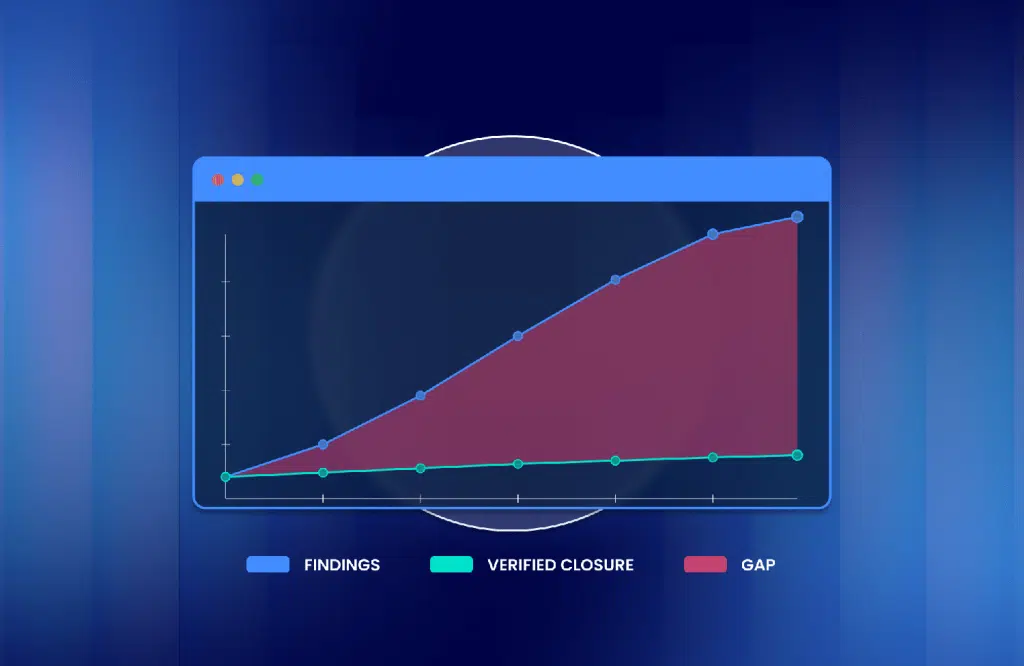
Other research has found that up to 62% of AI-generated code contains design flaws or known vulnerabilities, and that enterprises using AI coding assistants experience roughly ten times more security findings per month than before AI adoption, with particularly steep increases in privilege escalation paths and architectural design flaws.
For AST programs, this shifts the requirements for testing tools:
- Real-time scanning in the IDE: Vulnerabilities introduced by AI assistants need to be caught the moment they are suggested, not weeks later in a pipeline run. SAST tools that surface findings inline alongside AI completions reduce the chance that insecure patterns make it into pull requests.
- AI-aware SCA and SBOM coverage: AI-generated code tends to pull in dependencies opportunistically, increasing exposure to malicious or hallucinated package names. SCA tools must continuously track direct and transitive dependencies and flag suspicious or unverified components.
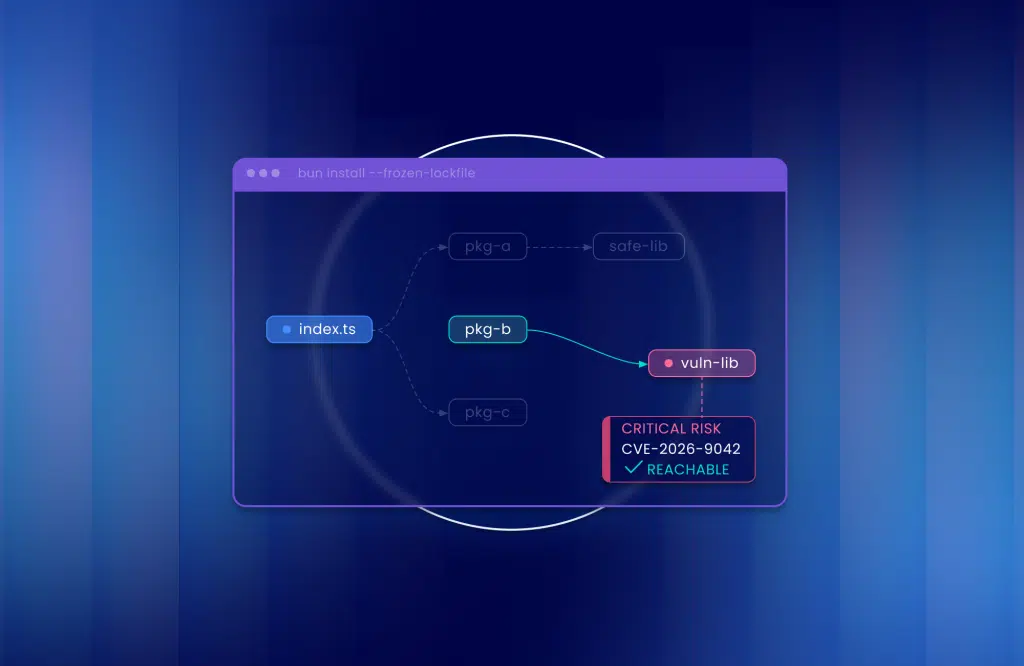
- Reachability and exploitability analysis: With code volume rising sharply, raw vulnerability counts are no longer actionable. Tools that prioritize based on whether a flaw is actually reachable in production give security teams a fighting chance against alert fatigue.
- AI-BOMs and model provenance: As AI components are embedded directly into applications, AST programs must extend visibility from open-source dependencies to the AI models, datasets, and prompts that shape application behavior.
What to prioritize when purchasing an AST platform
Buyers who rank features before workflow end up with shelfware. Prioritize in this order.
- Where findings land. If a finding does not appear in the pull request, the IDE, or the ticket queue a developer already watches, it will not be fixed. Confirm the integrations with your SCM, CI/CD, and issue tracker first.
- Signal over volume. Reachability and exploitability analysis decide whether a 3,000-finding first scan becomes a 40-item backlog. Ask every vendor to run on one of your repositories and show the reachable subset.
- A path from finding to fix. Fix suggestions that compile, dependency updates that arrive as pull requests, and retesting that confirms the fix held. Mend.io pairs Mend SAST fixes (46% more accurate than benchmark competitors in an external test) with Mend Renovate pull requests for dependencies.
- Coverage of what you actually ship. Languages, frameworks, containers, and now AI components. A tool that cannot see the model or system prompt in your application is testing part of it.
- Policy you can enforce centrally and apply per repository. License rules, severity thresholds, malicious-package blocks, and SLAs set once and inherited everywhere.
- A pricing model that does not penalize growth. Per-developer pricing rises with contractors and AI agents; per-application pricing with microservice sprawl. Decide which growth you expect before you compare quotes.
How modern AST tools support shift-left security
“Shift left” has become a slogan, so here is what it means operationally: the test runs at the earliest point where its result can still change what gets written, and the person who sees the result can act on it without leaving their tool.
That translates into four capabilities to check for:
- Testing at code generation. With AI assistants writing code, the earliest point is inside the assistant. Mend.io’s MCP server connects to Cursor, Windsurf, and VS Code Copilot to check generated code for CWEs and requested libraries for CVEs before the developer accepts the suggestion.
- Differential scanning on commit and pull request. Full rescans belong in the nightly build; the PR check has to run on changed code in minutes or developers route around it.
- Fixes, not only findings. A developer who gets a one-line explanation and a patch applies it; one who gets a CWE number and a link opens a ticket for later.
- The same policy everywhere. Shift-left fails when the IDE says one thing and the build gate says another. The policy that fails the build should be the policy that warned in the PR.
Shifting left does not retire the right side. A workable stack follows the pipeline: SAST in the IDE and on every pull request, SCA continuously because new vulnerabilities in old dependencies arrive without a code change, DAST against staging on every release candidate, and penetration testing for major releases and for the surface scanners handle worst, such as business logic and authorization. Fewer issues reach the right side; the ones that do are the ones only it can find.
Full application security testing platforms
1. Mend.io

Mend.io is the security platform for application security and AI security. Mend AppSec continuously discovers and prioritizes risk across the code layer through Mend SAST, Mend SCA, and container scanning; Mend AI covers the AI built into the software you ship; Mend Renovate keeps dependencies current with automated pull requests. It is built for development that is increasingly AI-assisted: scanning generated code as it is written, prioritizing by reachability, and returning fixes where developers work.
Key features include:
- Secures AI-generated code and AI components: Mend SAST scans generated code in the IDE through the Mend.io MCP server for Cursor, Windsurf, and VS Code Copilot, and Mend AI inventories AI frameworks, models, inference providers, system prompts, and agent configurations into an AI-BOM.
- AI powered remediation: Context-aware fixes for SAST findings, 46% more accurate than benchmark competitors in an external test, delivered in the IDE and pull request.
- End-to-end visibility: Across custom code, open source, containers, and AI components in one reporting view, with reachability analysis so teams fix exposure rather than counts.
- Supply chain security: malicious-package detection, license policy, SBOM export in SPDX and CycloneDX, and dependency updates through Mend Renovate.
- Developer workflow fit: Repository integrations for GitHub, GitLab, Bitbucket Cloud, and Azure DevOps, the Mend CLI for any CI/CD job, and findings that post back to the pull request.
Limitations (as reported by users on PeerSpot):
- User interface can be unintuitive for new users, especially in complex environments
- Integration and configuration may require additional effort in highly customized DevOps pipelines
2. Checkmarx

Checkmarx One is an application security platform that combines multiple testing capabilities into a single environment for securing software throughout development. The platform covers source code, open-source dependencies, APIs, containers, infrastructure as code (IaC), and cloud-native workloads while providing centralized risk management and developer-focused remediation workflows.
Key features include:
- Unified application security platform: Consolidates findings from SAST, SCA, DAST, API security, container security, IaC security, and cloud security into a centralized view for risk management.
- AI-generated code analysis: Scans and evaluates AI-generated code alongside human-written code to identify vulnerabilities and security weaknesses.
- Developer workflow integration: Integrates with IDEs, source control systems, and CI/CD pipelines to provide security feedback within existing development processes.
- Risk-based prioritization: Correlates findings across security tools and applies contextual risk scoring to help teams focus on exploitable and high-priority issues.
- Governance and reporting: Provides centralized dashboards, posture monitoring, SBOM and AI-BOM visibility, and compliance-oriented reporting for security oversight and audits.
Limitations (as reported by users on PeerSpot):
- High false positive rates require time-consuming manual review
- Limited language support for C, C++, VB, and T-SQL despite marketing claims
- Expensive licensing with complex pricing structure
- Lacks scalability for large enterprise environments
- Inadequate support for Swift, limiting use in iOS-focused organizations
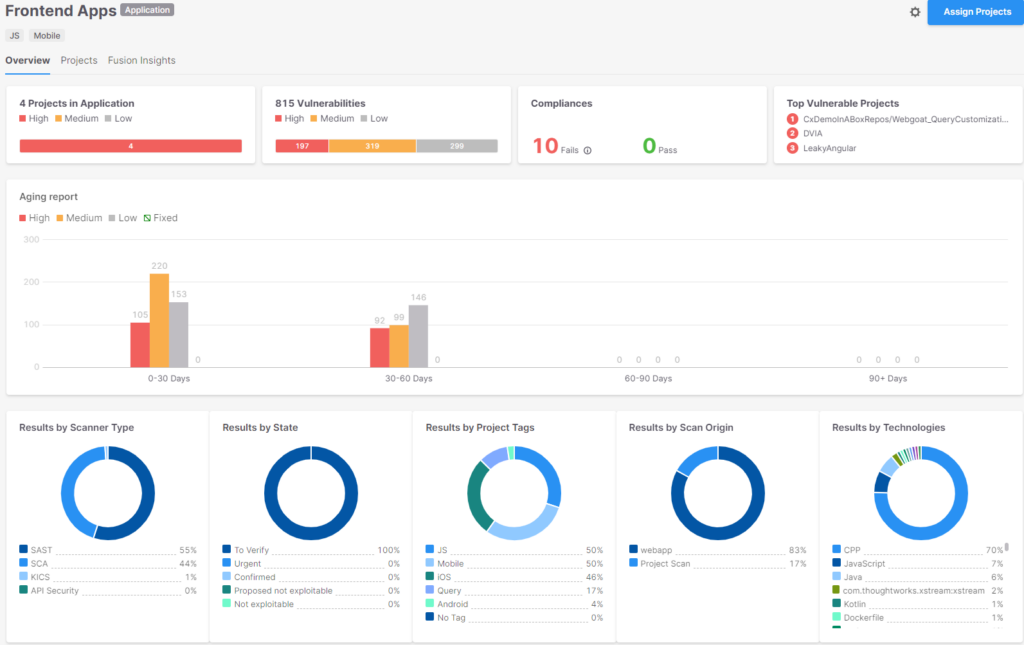
Source: Checkmarx
3. Veracode

Veracode is an application risk management platform designed to identify, prioritize, and remediate security risks across the software development lifecycle. The platform combines multiple testing technologies, security posture management, and AI-assisted remediation capabilities to help organizations manage application security from development through deployment.
Key features include:
- Application risk management: Provides application security posture management capabilities that prioritize vulnerabilities, identify ownership, analyze root causes, and recommend remediation actions.
- Code-to-cloud security testing: Combines SAST, DAST, SCA, container scanning, and IaC scanning to assess security risks across applications and supporting infrastructure.
- AI powered remediation: Generates remediation guidance and code fixes to help developers resolve security flaws more efficiently.
- Software supply chain security: Monitors open-source dependencies, license risks, malware, and policy violations while providing threat intelligence for software supply chain risks.
- Developer and SDLC integrations: Integrates with IDEs and development tools to deliver security testing and remediation guidance directly within existing workflows.
Limitations (as reported by users on TrustRadius):
- Complex and sometimes outdated web interface
- Scan results can vary unexpectedly even when code hasn’t changed
- Entry point selection lacks automation and consistency
- Limited flexibility in scan branching and repo management
- Pricing model previously lacked transparency and flexibility (now improved)
- SAML integration complexity with multi-domain setups
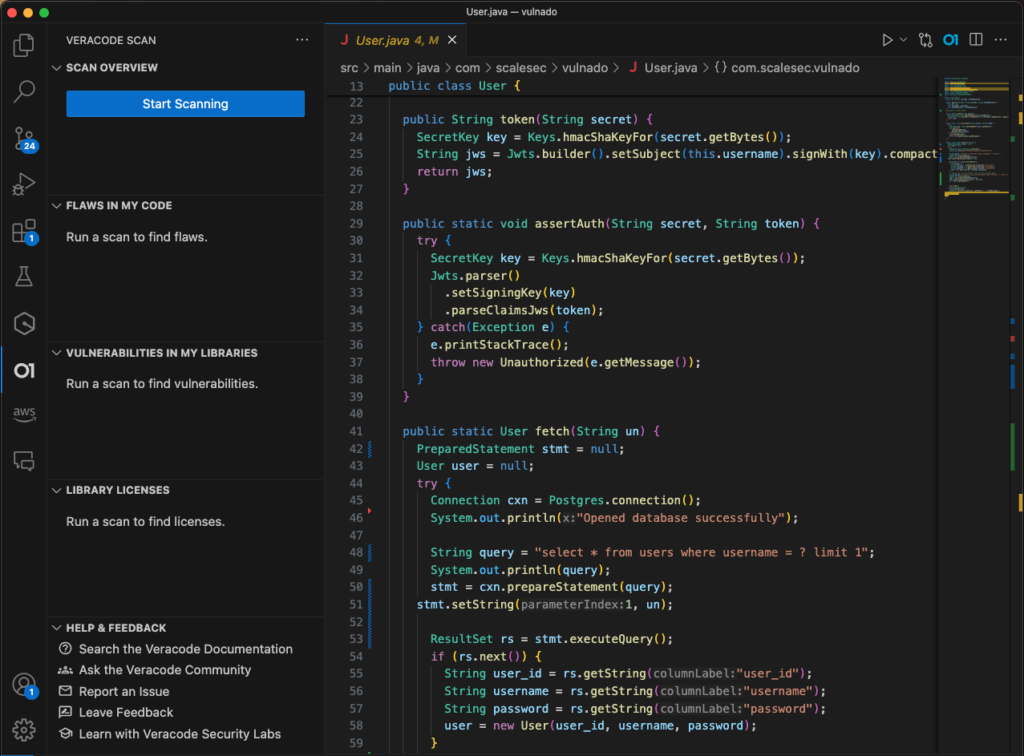
Source: Veracode
4. Burp Suite

Burp Suite is a web application security testing platform used for dynamic application security testing and manual penetration testing. It combines automated vulnerability scanning with interactive testing tools that allow security professionals to inspect, manipulate, and analyze web traffic. The platform is available in multiple editions ranging from a free community version to enterprise-focused DAST offerings.
Key features include:
- Web vulnerability scanning: Automatically identifies common web application vulnerabilities, including SQL injection, cross-site scripting (XSS), cross-site request forgery (CSRF), server-side request forgery (SSRF), and directory traversal issues.
- Proxy-based traffic analysis: Intercepts and inspects HTTP(S) and WebSocket traffic, enabling testers to analyze and modify requests and responses.
- Automated crawling and discovery: Maps application content and discovers endpoints automatically to improve testing coverage.
- Manual penetration testing tools: Includes tools such as Repeater, Intruder, Sequencer, Decoder, and Comparer for in-depth security testing and validation.
- Automation and extensibility: Supports automated scanning workflows, out-of-band application security testing (OAST), APIs, and extension modules to customize testing processes.
Limitations (as reported by users on G2):
- Professional edition is expensive; Community Edition lacks key features like project saving
- UI/UX needs significant improvements, especially for tab management
- Limited or buggy HTTP/2 support leads to unreliable test results
- Frequent crashes and socket errors during scans
- Not all requests work as expected compared to tools like Postman
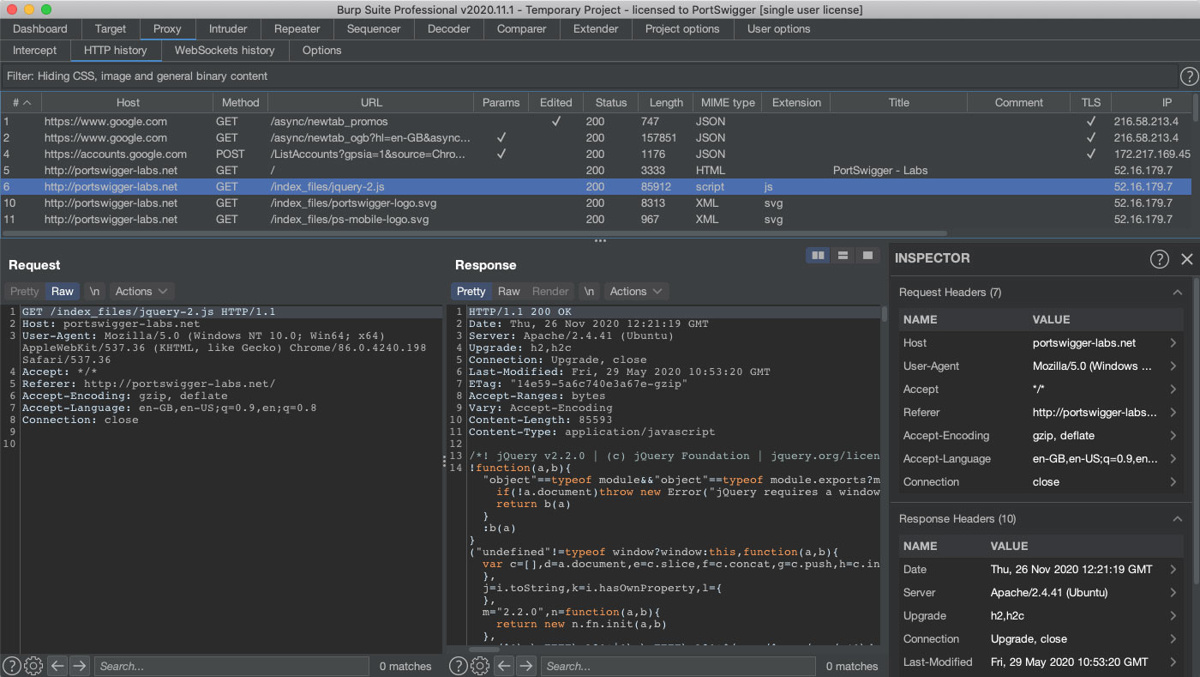
Source: Burp Suite
Focused DAST tools
5. Astra Security

Astra Security provides a dynamic application security testing (DAST) platform for web applications and APIs. The platform combines automated vulnerability scanning with intelligence derived from manual penetration testing, allowing it to test application layers such as APIs, cloud components, authentication workflows, and user roles. It supports continuous scanning, authenticated testing, and integration with development pipelines.
Key features include:
- Pentest-informed scanning: Incorporates findings and techniques from manual penetration tests to improve vulnerability detection beyond known CVEs.
- Authenticated application testing: Supports scanning behind login pages, including applications protected by multi-factor authentication and custom authentication workflows.
- API and modern application coverage: Scans REST, SOAP, and GraphQL APIs, as well as JavaScript-heavy applications using browser-based crawling.
- AI-powered testing and remediation: Generates application-specific test scenarios and provides contextual remediation guidance for identified vulnerabilities.
- Continuous security monitoring: Supports scheduled scans, automated rescanning of fixes, role-based access controls, and CI/CD integrations for ongoing security validation.
Limitations (as reported on GetApp):
- Pricing may be too high for small businesses
- Annoying and persistent support chat interface
- Limited firewall management guidance for blocked applications
- Occasional malware slips past detection despite scanning
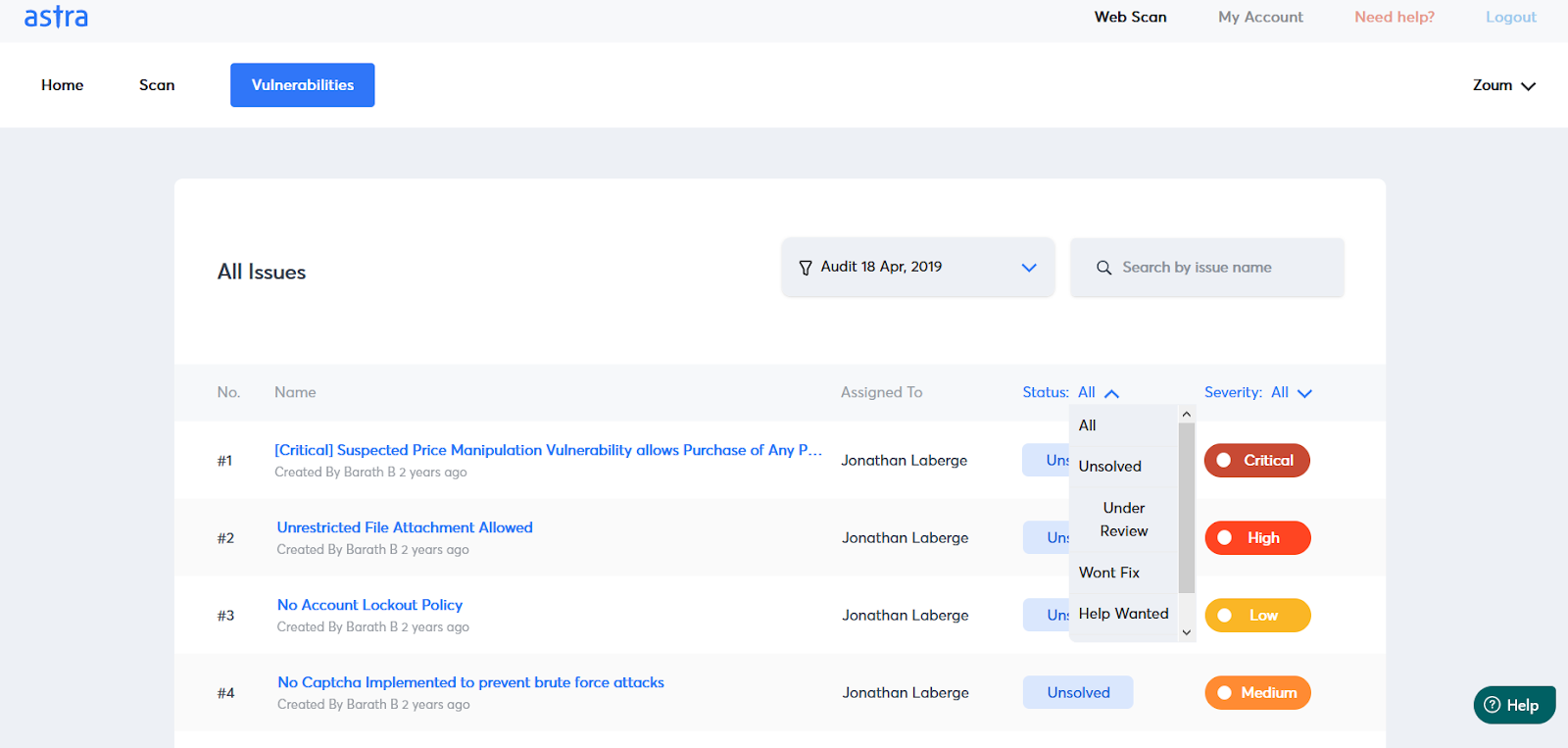
Source: Astra Security
6. OWASP ZAP (Zed Attack Proxy)
OWASP ZAP is a free, open source web application security testing tool designed for vulnerability assessment and penetration testing. It operates as a proxy between a browser and a target application, allowing users to inspect, modify, and analyze traffic while performing both automated and manual security testing. ZAP supports a range of user skill levels and can be extended through a marketplace of community-developed add-ons.
Key features include:
- Intercepting proxy engine: Acts as a manipulator-in-the-middle proxy that captures, inspects, and modifies HTTP(S) traffic between browsers and applications.
- Automated vulnerability scanning: Combines passive scanning, active scanning, and automated attack capabilities to identify security weaknesses.
- Traditional and AJAX spidering: Includes both HTML-based and browser-driven spiders to discover content in standard and JavaScript-heavy applications.
- Extensible architecture: Supports plugins and add-ons through the ZAP Marketplace, enabling additional testing and automation capabilities.
- Automation and API support: Provides automation frameworks, Docker-based scans, GitHub Actions integration, command-line functionality, and API-driven testing.
Limitations (as reported by users on PeerSpot):
- Outdated documentation lacking coverage of key features and automation
- High rate of false positives reduces trust in vulnerability assessments
- Weak SQL injection detection engine
- Poor integration with cloud-native CI/CD pipelines
- Limited support responsiveness and scope of technical assistance
- No alignment with CVSS scores or detailed reporting standards
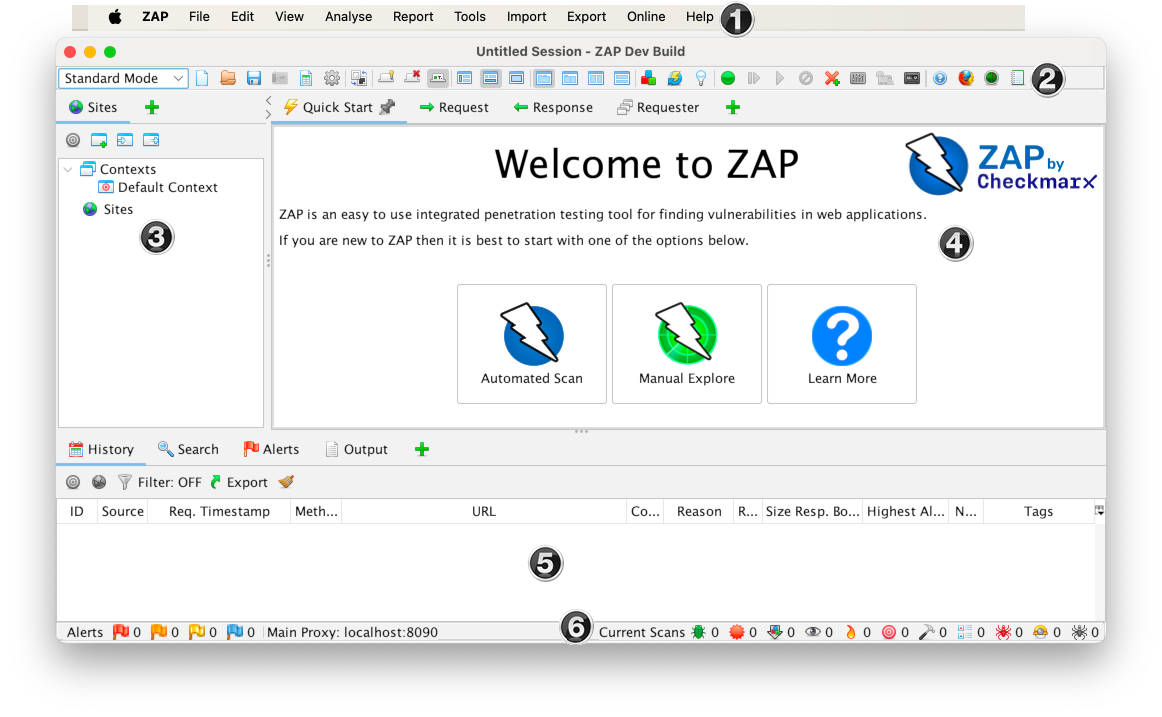
Source: ZAP
7. Acunetix
Acunetix is a DAST solution focused on automating web application and API security testing. It helps organizations discover assets, assess risk, detect exploitable vulnerabilities, and integrate security findings into development workflows. The platform supports modern web applications, APIs, single-page applications (SPAs), and protected application areas that are difficult for traditional scanners to reach.
Key features include:
- Asset discovery and crawling: Automatically identifies websites, applications, APIs, LLM-connected services, and hidden endpoints to maintain an up-to-date inventory.
- Predictive risk scoring: Uses machine learning models and external application characteristics to estimate risk levels and prioritize testing efforts.
- Deep application coverage: Scans SPAs, API-driven architectures, password-protected areas, and undocumented endpoints through advanced crawling capabilities.
- Proof-based vulnerability validation: Confirms exploitable vulnerabilities with proof of exploit to reduce false positives and improve remediation prioritization.
- Developer workflow integration: Connects with CI/CD platforms, issue trackers, and security tools while providing AI-assisted remediation guidance.
Limitations (as reported by users on PeerSpot):
- Limited integration support for tools like Jira, Jenkins, and Chef
- No support for mobile application security testing or automatic subdomain scanning
- High pricing and rigid licensing model limit flexibility for smaller organizations
- Reporting options can be too simplistic for advanced use cases
- Manual replication of certain vulnerabilities is difficult due to lack of raw request/response data
- Bandwidth consumption during scans is high, and scan throttling is limited
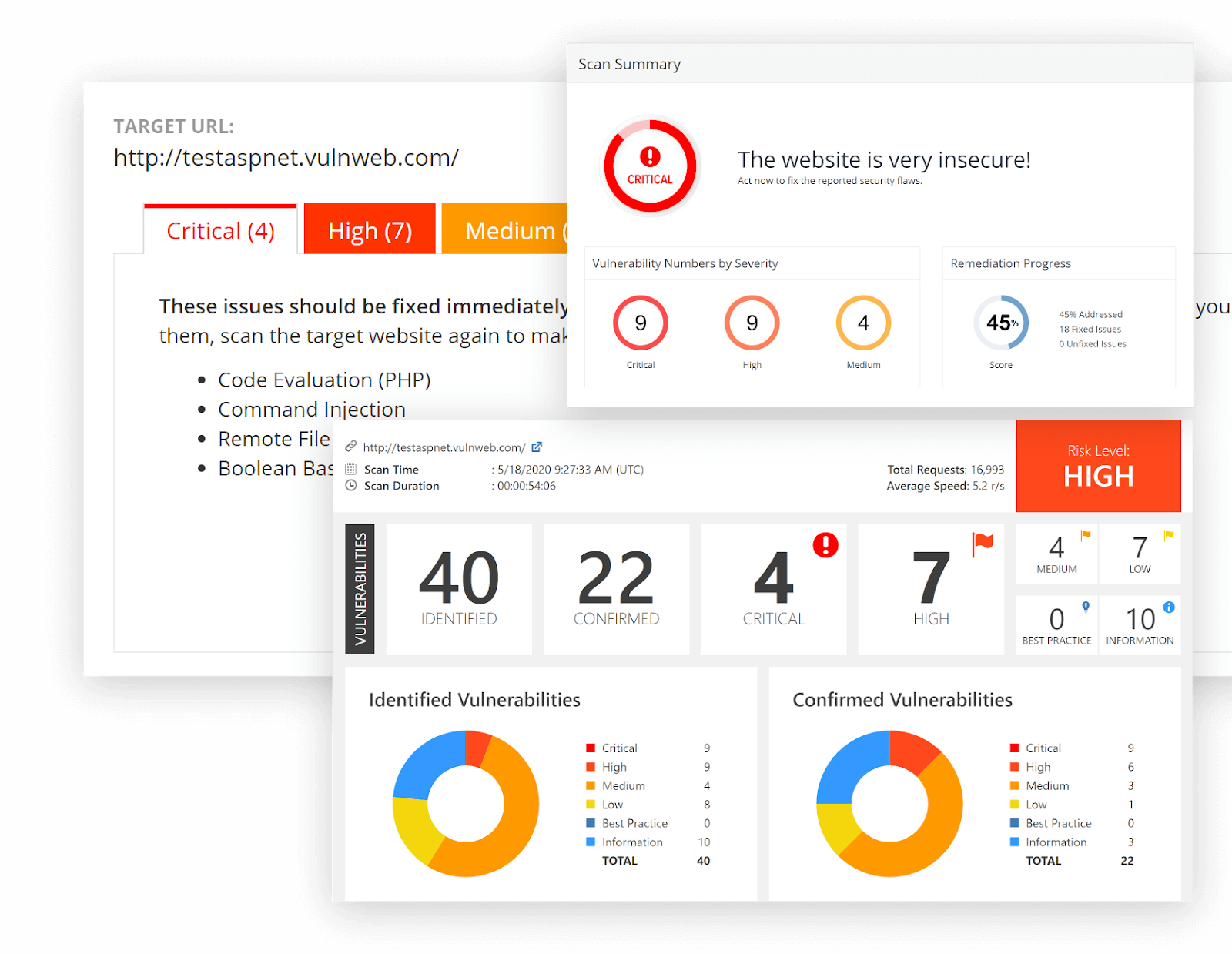
Source: Acunetix
Focused SAST tools
8. Snyk Code

Snyk Code is a developer-focused static application security testing solution that integrates security analysis into everyday development workflows. It provides security feedback during coding, pull requests, and CI/CD processes, helping teams identify and address vulnerabilities before software reaches production. The platform emphasizes automation, risk-based prioritization, and developer-friendly remediation workflows.
Key features include:
- IDE and CLI integration: Provides security analysis directly within developer environments to identify issues early in the coding process.
- Pull request and repository scanning: Evaluates code changes before merging and continuously monitors projects for newly discovered vulnerabilities.
- Risk-based prioritization: Uses contextual factors such as reachability, exploit maturity, EPSS scores, CVSS scores, and business context to prioritize findings.
- Automated remediation workflows: Generates one-click pull requests and actionable fix recommendations to streamline vulnerability remediation.
- Continuous monitoring and governance: Tracks newly disclosed vulnerabilities and supports compliance reporting, policy management, and security oversight.
Limitations (as reported by users on G2):
- High rate of false positives, occasionally missing real vulnerabilities
- Clunky and slow user interface
- Poor post-sales support with inconsistent issue resolution
- Support team lacks technical empathy for developers
- CLI does not show all SBOM details available in the UI, requiring external tools
- Alert policy management and overrides are overly complex
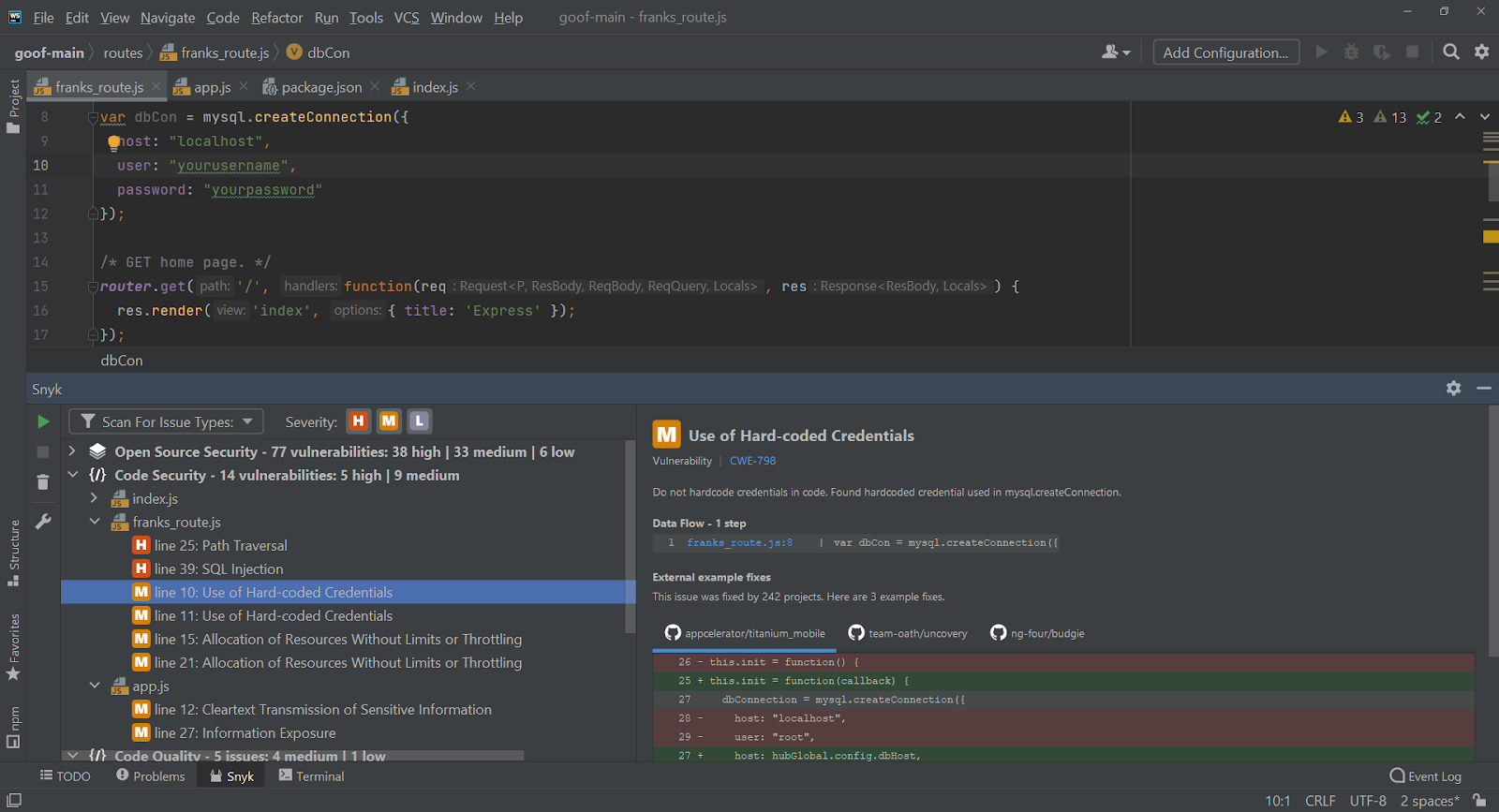
Source: Snyk
9. SonarQube

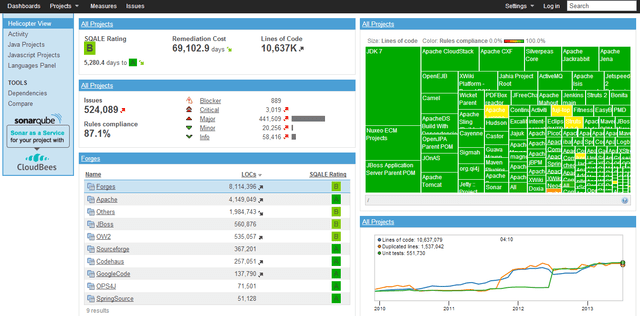
SonarQube is a code quality and security analysis platform that continuously reviews both developer-written and AI-generated code. Designed to integrate into modern DevOps environments, it helps teams identify bugs, vulnerabilities, code quality issues, and compliance concerns before code is merged or deployed. The platform supports a range of programming languages, frameworks, and infrastructure-as-code technologies.
Key features include:
- Automated code analysis: Continuously reviews source code to identify security vulnerabilities, bugs, maintainability issues, and code smells.
- AI code verification: Analyzes AI-generated code and applies code quality and security checks before deployment.
- Quality gate enforcement: Enables go/no-go decisions by failing builds or pull requests that do not meet predefined quality and security requirements.
- IDE and DevOps integration: Connects with major development platforms and provides real-time issue detection within supported IDEs.
- Secrets detection and compliance support: Identifies exposed secrets and maps findings to standards such as OWASP Top 10, CWE Top 25, PCI DSS, and NIST SSDF.
Limitations (as reported by users on PeerSpot):
- Limited support for newer or less common languages
- Complex to define custom detection rules for nuanced code patterns
- Weak security testing compared to dedicated AST tools
- Confusing documentation on setup and configuration
- Lacks downloadable PDF reports and richer vulnerability reporting options
Source: SonarQube
10. Xygeni

Xygeni is an all-in-one application security platform that combines multiple security testing and software supply chain capabilities into a single environment. The platform provides visibility across source code, dependencies, CI/CD pipelines, infrastructure-as-code configurations, secrets, and software artifacts while centralizing risk management and remediation activities.
Key features include:
- Unified application security platform: Combines SAST, SCA, ASPM, secrets security, CI/CD security, IaC security, malware protection, and compliance capabilities in a single platform.
- Risk prioritization and correlation: Deduplicates findings and evaluates reachability and exploitability to help teams focus on higher-priority issues.
- AI-powered remediation: Generates automated pull requests and remediation recommendations to accelerate issue resolution.
- Software supply chain protection: Detects malicious code, insecure dependencies, and risks throughout repositories, build systems, and delivery pipelines.
- Rapid deployment and workflow integration: Integrates with existing development environments and security processes with minimal setup requirements.
Limitations (as reported by users on Gartner Peer Insights):
- Users would like more visual configuration capabilities to fine-tune risk scoring and prioritization, though manual controls are available.
- Some edge-case CI/CD environments need manual tweaks or could benefit from richer preconfigured templates.
- There’s a slight learning curve for advanced AppSec policies and prioritization funnels, especially for teams newer to integrated AST platforms.

Source: Xygeni
Key selection criteria for application security testing tools
Here are a few guidelines for selecting the right AST tool for your organization.
Language and framework support
An AST tool must align with the technologies used in the application stack. Key considerations include:
- Language coverage: Look for support across major languages (e.g., Java, JavaScript, Python, C#, PHP, Ruby, Go) and legacy ones like COBOL or Perl if relevant.
- Framework compatibility: The tool should recognize common frameworks such as Spring, Express, Django, .NET, Angular, and React, ensuring accurate parsing and vulnerability detection.
- Multi-language projects: Applications often use multiple languages and frameworks. Tools must handle mixed codebases without gaps in coverage.
- Mobile and backend coverage: For mobile apps, support for iOS/Android SDKs and hybrid frameworks (e.g., Flutter, React Native) is critical.
Accuracy and false positive rates
High accuracy is essential for effective vulnerability management. Inaccurate or excessive findings lead to alert fatigue, reduce developer trust, and slow remediation efforts. Key accuracy-related capabilities include:
- Contextual vulnerability detection: Tools that evaluate data flow, control flow, and taint analysis provide better context and lower false positives.
- AI/ML improvements: Advanced tools apply machine learning to distinguish between exploitable and benign findings, improving triage accuracy.
- Proof-of-exploit validation: Some tools offer exploit simulation or provide exploitability evidence, helping developers prioritize real threats.
- Reachability analysis: Determines whether a vulnerable code path is actually executable in the deployed application, dramatically reducing alert volume and helping teams focus on findings that pose real risk rather than theoretical exposure.
- Risk scoring models: Use of CVSS/EPSS scores, reachability analysis, and business context helps in prioritizing vulnerabilities based on actual risk.
Integration with DevOps and CI/CD
To enable security at speed, AST tools must embed directly into the tools and workflows used by development teams. Ideal integrations include:
- Source code management (SCM): GitHub, GitLab, Bitbucket for pull request scanning and commit checks
- CI/CD platforms: Jenkins, CircleCI, Azure DevOps for pre-deployment scans and enforcement gates
- Developer IDEs: VS Code, IntelliJ, Eclipse for in-editor feedback, including alongside AI coding assistants so that risky suggestions are flagged in real time
- Issue trackers: Jira, Azure Boards for auto-creation of security tickets with detailed guidance
Compliance and reporting
For regulated industries, AST tools should help demonstrate security best practices and meet audit requirements. Useful features include:
- Predefined compliance templates: Reporting formats aligned with standards like OWASP Top 10, PCI DSS, HIPAA, SOC 2, GDPR
- Vulnerability management reports: Detailed audit trails including vulnerability lifecycle, remediation status, and risk scores
- Executive dashboards: Aggregated views for security leaders to monitor risk posture across projects
- Exportable data: Ability to generate CSV, PDF, or API-based reports for external compliance systems
Support for modern architectures
AST tools must address the security needs of distributed, dynamic, and cloud-native systems. This includes:
- Container and orchestration security: Scanning Docker images, Kubernetes manifests, and Helm charts for configuration risks and vulnerabilities
- Serverless and microservices: Ability to scan function-as-a-service (e.g., AWS Lambda) and microservices that rely on APIs, queues, and event-driven workflows
- Infrastructure as code (IaC): Support for tools like Terraform, CloudFormation, and Ansible to detect insecure configurations before deployment
- API security testing: Deep scanning of REST, GraphQL, and gRPC APIs with support for authentication and session handling
- AI and LLM application coverage: Detection of risks specific to AI-integrated applications, including prompt injection vulnerabilities, insecure model integrations, exposed model credentials, and analysis of AI-generated code as it is committed
Conclusion
Application security testing is critical where software is built and shipped at high velocity. By choosing the right mix of testing methods for each layer of the stack, and placing each test where its result can still change the code, organizations embed security through the lifecycle. This approach finds vulnerabilities early, reduces exposure, and delivers secure, reliable software.
FAQs
What should you prioritize when purchasing an application security testing platform?
Workflow before features: where findings land, how much noise reachability analysis removes, and whether there is a path from finding to fix. Then coverage of what you ship, central policy, and a pricing model that does not penalize growth. Mend.io’s approach pairs reachability-based prioritization with AI powered fixes and Mend Renovate pull requests so findings become fixes.
How do application security testing tools support shift-left security?
By running the test at the earliest point where its result can change the code, and showing it to the person who can act. That means checks inside AI coding assistants, differential scans on commit and pull request, fixes alongside findings, and one policy from IDE to build gate. Mend.io checks generated code through its MCP server for Cursor, Windsurf, and VS Code Copilot.
Do you need SAST, DAST, and SCA, or will one tool do?
They test different layers: SAST reads your code, SCA checks your dependencies, DAST attacks the running application. Most organizations need all three, with SAST and SCA in the pipeline and DAST in staging. Mend.io provides SAST, SCA, and container scanning through Mend AppSec, with DAST and API Security available as separate add-ons.
Which application security testing tools cover AI-generated code?
Tools that scan at code generation and prioritize by reachability. AI-written code carries the same vulnerability classes as human code at higher volume, so the test has to run before the suggestion is accepted and filter out unreachable findings. Mend SAST does both, with +38% precision and +48% recall against benchmark competitors.
How is application security testing different for applications that use AI models?
Code-level testing still applies, but it cannot detect behavioral risks such as prompt injection or data leakage through a model. Applications with AI inside also need an AI component inventory and behavioral red teaming against the running system. Mend.io covers the code layer with Mend AppSec and the AI layer with Mend AI.
Is penetration testing the same as DAST?
No. DAST is automated and repeatable, which suits every release; it attacks a running application the way an adversary would and reports what it can trigger. Penetration testing is manual, slower, and finds chained or logic-based flaws that scanners miss. Most programs use both. Mend.io offers DAST as an add-on alongside Mend AppSec.